
The most popular advice about choosing the best small business accounting software with payroll usually starts with feature counts. That's the wrong starting point. Payroll software can look impressive while creating risk if payroll journals don't reach the general ledger correctly, tax filings depend on an unclear partner, or employee and contractor data lives in disconnected systems.
The better question is architectural: Is payroll native to the accounting platform, or is it powered by a partner? That distinction affects who calculates taxes, makes deposits, files returns, supports employee access, corrects errors, and owns the integration when something changes. It also affects implementation effort and how confidently your bookkeeper or CPA can review the books.
This comparison evaluates ten platforms by payroll architecture, accounting synchronization, compliance workflow, implementation risk, ecosystem fit, and growth ceiling. Before committing, verify current pricing, state coverage, filing responsibility, direct-deposit terms, data migration options, and integration documentation. A controlled setup, test payroll, permission review, and reconciliation process matter more than a long feature list. The broader accounting context is covered in this small business finance software guide.
If your business operates across states, uses multiple locations, pays contractors, or needs professional bookkeeping support, a CPA or Allied Tax Advisors payroll resource can help assess the setup before payroll goes live.
Table of Contents
- 1. QuickBooks Online and QuickBooks Payroll
- 2. Xero and Payroll Powered by Gusto
- 3. Zoho Books and Zoho Payroll
- 4. Patriot Software Accounting and Payroll
- 5. Wave Accounting and Wave Payroll
- 6. FreshBooks and Payroll Powered by Gusto
- 7. ZipBooks and Gusto
- 8. Sage 50 and Sage Payroll
- 9. Sage Accounting Cloud and Gusto
- 10. AccountingSuite and Gusto or Native Payroll
- Top 10 Small-Business Accounting & Payroll Comparison
- Choose the Payroll Workflow You Can Operate Reliably
1. QuickBooks Online and QuickBooks Payroll
QuickBooks Online paired with QuickBooks Payroll is the most conventional choice for a U.S. small business that wants accounting and payroll under one major vendor. Payroll is native to the QuickBooks ecosystem rather than dependent on a separate payroll brand, so the accounting-to-payroll relationship is comparatively direct. That can reduce coordination work for businesses whose bookkeeper, accountant, time tracking, project costing, and payroll all need to use the same financial records.
QuickBooks Payroll supports payroll processing across all 50 states, automated tax filings, and direct deposit. Employee self-service is available through the QuickBooks Workforce app, while payroll costs can connect with the general ledger, time, and project workflows. The large third-party app marketplace also gives growing businesses more options when they add scheduling, benefits, expenses, or industry-specific systems.
Where the architecture helps
The principal advantage is ecosystem familiarity. Many accountants already work with QuickBooks, which can shorten onboarding and make it easier to transfer responsibility between an owner, internal administrator, and external advisor. QuickBooks also offers next-day direct-deposit options and automated tax filing guarantees on assisted tiers, but buyers should confirm the exact terms and eligibility before relying on them.
The trade-off is cost volatility. Pricing has changed frequently, so the advertised entry point may not represent the long-term expense for a business that needs payroll, extra users, projects, or advanced reporting. QuickBooks can also be more expensive than simpler alternatives.
Implementation rule: Map payroll expense, liability, tax, and clearing accounts before the first live run. A familiar platform still produces unreliable books when the chart of accounts is poorly configured.
QuickBooks is strongest for established employers that want accountant access, deep integrations, and room to add operational complexity. It may be excessive for a tiny team that only needs basic payroll and straightforward bookkeeping.
2. Xero and Payroll Powered by Gusto
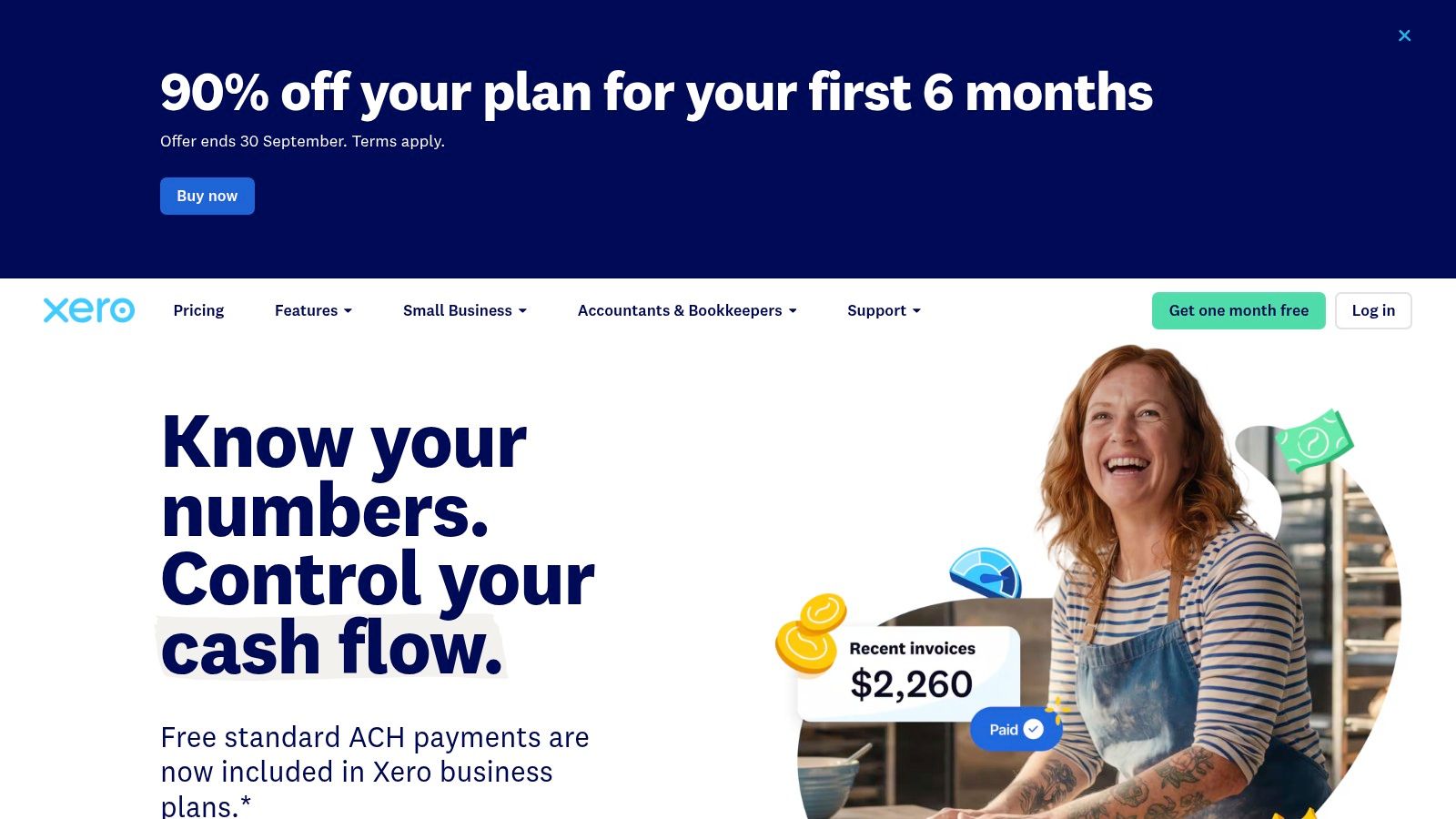
Xero takes a different route in the United States. Its accounting platform is native to Xero, but payroll is powered by Gusto through an integrated relationship. That makes Xero a strong accounting environment for businesses that value bank feeds, a clean cloud interface, advisor tools, and multi-currency capabilities, while making payroll ownership more divided than it is in a native suite.
The Gusto connection supports payroll across all 50 U.S. states, automated tax calculations, and automated filings. Payroll data can sync to the Xero general ledger through configurable account mapping. That mapping is the important control point. If wage expense, employer taxes, benefits, and payroll liabilities are assigned incorrectly, the payroll run may complete successfully while the financial statements remain misleading.
The partner-powered trade-off
Xero documents the Gusto integration across Gusto plans and provides FAQs and support materials that make the connection easier to investigate. The arrangement also gives buyers a recognizable payroll engine rather than forcing them to learn an unfamiliar payroll module.
The risk is integration dependency. Payroll isn't native to Xero in the U.S., and users must understand which company handles tax calculations, filings, employee support, corrections, and subscription administration. Misconfiguration can produce synchronization problems, especially after changes to pay types, accounts, locations, or employee classifications.
Xero fits businesses that want a modern accounting platform and are comfortable operating a connected payroll relationship. It's particularly attractive when international accounting or advisor collaboration matters, but the buyer should test the complete workflow, not just the connection screen.
3. Zoho Books and Zoho Payroll
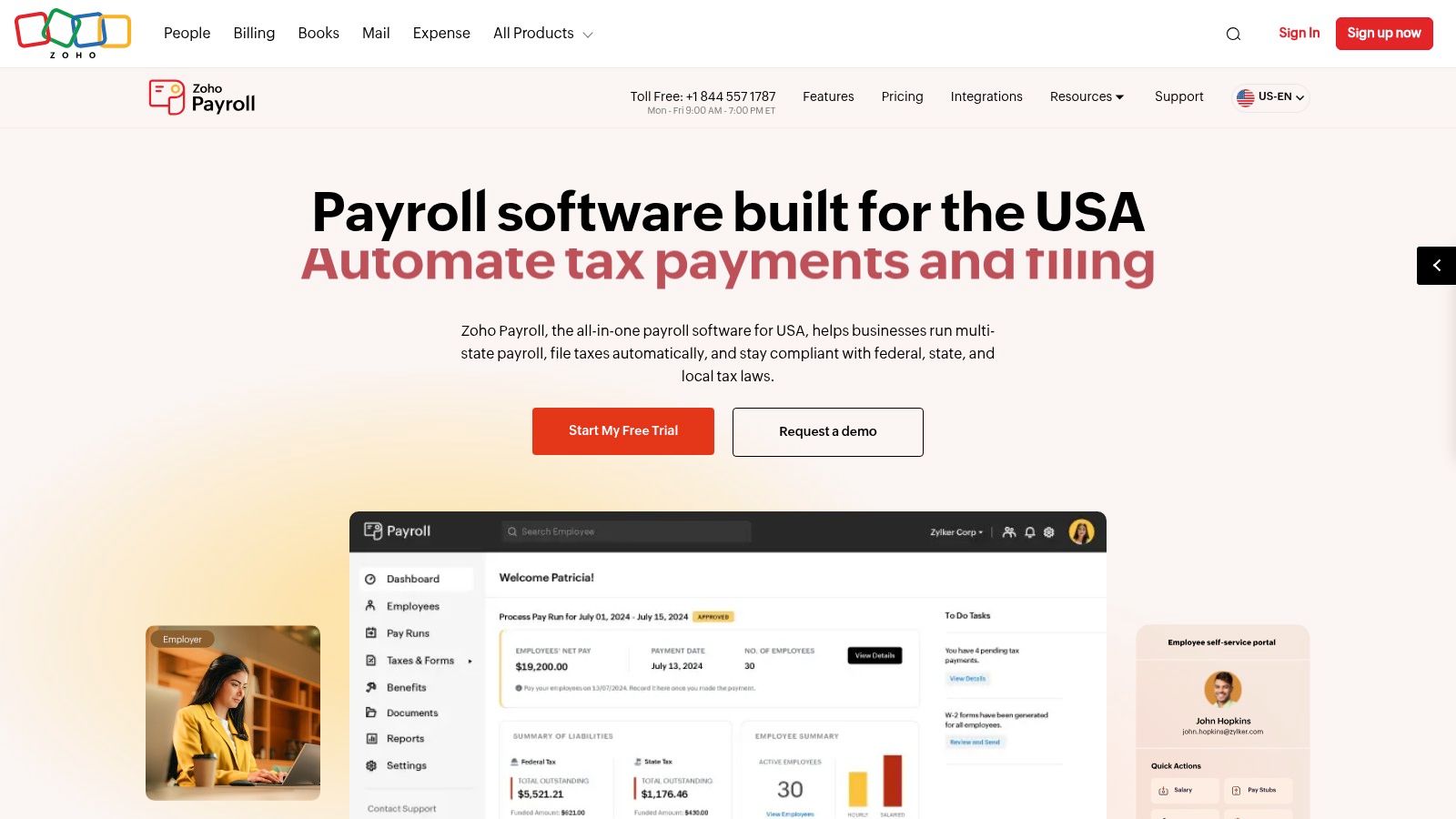
Zoho Books with Zoho Payroll is an all-in-one alternative for small businesses that prefer a single-vendor environment. The architecture connects payroll directly with Zoho Books, while the wider Zoho suite can extend into expenses and HR. That creates a coherent operating model for a business that wants payroll, bookkeeping, employee information, and reimbursements managed within one vendor family.
Zoho Payroll can create automatic payroll journal entries in Zoho Books. Its workflow includes federal, state, and local tax calculations, payments, and filings. Add-ons such as expense reimbursements and multi-location support can reduce the number of separate systems an administrator must maintain. The accounting advantage isn't just that payroll appears in the books. It's that the payroll journal can be designed as part of the same account structure used for financial reporting.
A good fit with a setup caveat
Zoho's main strength is vendor consolidation. A business already using Zoho Expense or Zoho People may gain more from the connected stack than from a payroll product selected in isolation. The platform can also appeal to price-sensitive SMBs that want broader functionality without immediately adopting a large enterprise ecosystem.
The weakness is implementation breadth. Adding multiple Zoho applications can make the initial configuration longer, particularly when employee records, approval rules, expense categories, locations, and accounting dimensions need to agree. Zoho Books and Zoho Payroll pricing are separate, so verify the current combined cost rather than evaluating either product alone.
Zoho is best for an owner or finance administrator willing to configure a broader system carefully. It's less suitable when the priority is the shortest possible setup or when a local accountant has deep expertise in another platform.
4. Patriot Software Accounting and Payroll
Patriot Software is built around a narrower question: how can a U.S.-focused small business run accounting and payroll without adopting a complicated enterprise suite? Its accounting and payroll products work together under one vendor, giving the platform a native-feeling architecture even though accounting and payroll are separate product areas.
The full-service payroll option handles federal and state tax filing and depositing, while W-2 and W-3 submissions are supported. Payroll information flows into Patriot Accounting, and HR and time add-ons can extend the workflow when the company needs them. That structure is practical for owners who want the vendor to manage filing administration instead of maintaining tax calendars manually.
Value comes from controlled scope
Patriot's advantage is simplicity. A very small employer may not need a vast app marketplace, complex project accounting, or extensive customization. A focused platform can lower implementation risk because there are fewer systems, connectors, and operational decisions to coordinate.
The limitation is the same feature: Patriot has fewer third-party integrations than larger ecosystems, and its accounting capabilities are more basic than enterprise-oriented suites. That can become a constraint when inventory, advanced reporting, specialized time capture, or complex approval workflows become central to the business.
Patriot's accountant partner program and small-business orientation may help firms that want professional collaboration without a high-complexity environment. Still, buyers should verify current payroll service terms, state requirements, user permissions, and the exact process for correcting a payroll run.
Practical rule: Choose Patriot when dependable domestic payroll and straightforward accounting matter more than an expansive technology ecosystem.
This platform suits a small U.S. team that values operational clarity. It may not provide the growth ceiling required by a business expanding into international operations or highly customized finance workflows.
5. Wave Accounting and Wave Payroll
Wave Accounting is aimed at businesses that want a low-cost entry into bookkeeping and payroll. Its core accounting experience is lightweight, and payroll is a native add-on rather than a separate partner product. That distinction keeps the user journey relatively direct, although buyers still need to verify the exact payroll plan and state-specific coverage before implementation.
Depending on the plan, Wave Payroll supports direct deposit and tax payments and filings. The platform also brings invoicing, payments, bank connections, and accounting into one dashboard. For a sole proprietor or very small employer, that may be enough to replace scattered spreadsheets and basic administrative tools without introducing a large software environment.
Low friction, limited headroom
Wave's main benefit is a fast, approachable start. Payroll documentation is clear, and an accountant or collaborator can access the books on the appropriate plan. That can work well for a micro-business whose financial workflow consists mainly of invoices, expenses, bank activity, and a small employee group.
The trade-off is depth. Wave offers fewer advanced accounting controls than QuickBooks or Xero, and community feedback about payroll reliability and product changes is mixed. A business that later needs detailed inventory, complex project costing, granular permissions, or broader integrations may need to migrate.
For bookkeeping support, owners should distinguish software access from professional review. Allied Tax Advisors' free payroll software resource can help frame that decision, especially when a low-cost tool still needs correct tax settings and reconciliations.
Wave is a sensible starting point for simple teams. It isn't automatically the best long-term platform because the entry cost is low.
6. FreshBooks and Payroll Powered by Gusto
FreshBooks is designed around client billing, time tracking, expenses, and service-business bookkeeping. Its U.S. payroll arrangement is partner-powered through Gusto, so the accounting experience remains FreshBooks while payroll administration relies on an external payroll engine.
That architecture makes sense for consultants, agencies, contractors, and other service firms whose primary accounting activity is turning tracked time and expenses into invoices. Gusto provides automated tax payments and filings, while payroll expenses sync back to FreshBooks. The connection can preserve a clean relationship between labor costs and the accounting ledger, provided the account mapping and employee setup are reviewed before launch.

Strong service workflow, shared responsibility
FreshBooks is easy to understand for a service business already using its invoicing and time tools. Its help materials explain setup, mapping, and tax processes, which can reduce the uncertainty that often accompanies a partner integration.
The principal drawback is ownership. There is no native U.S. payroll module, and payroll creates a separate per-employee cost on top of the FreshBooks subscription. When an issue occurs, the owner may need to establish whether the problem began in FreshBooks, Gusto, the connector, or the account mapping.
FreshBooks is a good choice when billing and client experience drive the accounting decision, and payroll is important but not the central operational system. It's less compelling for an employer that needs extensive HR controls, complex inventory, or a payroll-first compliance workflow.
7. ZipBooks and Gusto
ZipBooks keeps the accounting side deliberately lightweight and connects to Gusto for payroll. The integration can push payroll journals into the ZipBooks ledger automatically, which gives a small business a basic accounting record without requiring manual re-entry after every pay run.
The accounting platform covers invoicing, bills, basic reporting, and time tracking. Its interface and plans are designed for small businesses that want a short implementation path. Gusto supplies the payroll engine, so buyers should evaluate the payroll provider's filing responsibilities and support boundaries separately from ZipBooks' bookkeeping features.
An entry-level choice with a visible ceiling
ZipBooks makes sense when the company has uncomplicated books and wants to avoid paying for functionality it won't use. A direct, supported Gusto integration is more useful than a generic promise of compatibility because the critical question is whether payroll journals post consistently and can be reconciled.
The downside is ecosystem size. ZipBooks has fewer advanced features and integrations than larger accounting suites, which can become noticeable when the business adds reporting requirements, operational automation, locations, or more complicated labor structures. Gusto promotions may also be available for new ZipBooks customers, but promotional terms should be checked directly before they influence the decision.
Payroll integration reduces data entry. It doesn't remove the need to review the payroll journal against the bank activity and liability accounts.
ZipBooks is best for a very small business that values speed and simplicity. Owners should treat it as a possible starting platform, not assume it will support every later-stage accounting requirement.
8. Sage 50 and Sage Payroll
Sage 50 with a bundled Sage Payroll option serves businesses that prefer mature desktop accounting over a cloud-first workflow. Payroll processing and tax-table updates are available with eligible plans, while the accounting system adds detailed desktop functionality for job costing and inventory.
The architecture is more traditional than the cloud products in this list. Payroll operates within the Sage 50 environment and eligible bundles can include Payroll or Payroll plus HR. Direct deposit options and W-2/W-3 handling are available under the applicable service configuration, but the details matter. Buyers need to establish which bundle includes which payroll services, how updates are delivered, and what ongoing service charges apply.
Traditional control versus collaboration
Sage 50 is a better fit for a firm with established desktop procedures, inventory needs, or a legacy Sage environment. Its detailed accounting tools can provide more operational control than lightweight cloud platforms, especially when job costing and inventory are central to financial reporting.
The cost is collaboration friction. A desktop model may not suit distributed teams or accountants who expect continuous online access. Add-on fees and service requirements can also complicate the total cost calculation.
Payroll timing must be configured around the company's filing obligations, not just the software's pay-run calendar. Use a documented payroll tax deposit schedule guide when reviewing deposit responsibilities, and confirm the system's current tax-table support before purchase.
Sage 50 is appropriate when desktop accounting is a deliberate operational choice. It's a weaker fit for cloud-first teams that prioritize mobile access, shared administration, and rapid remote collaboration.
9. Sage Accounting Cloud and Gusto
Sage Accounting offers a cloud accounting route that can connect with Gusto through the Sage U.S. Marketplace. Unlike Sage 50 with bundled payroll, this is a partner-powered design. Sage supplies the cloud accounting interface, while Gusto handles the payroll system and the connector moves payroll financials into the Sage general ledger.
The appeal is straightforward. Businesses can use cloud invoicing, bank feeds, and mobile access while retaining a familiar Gusto payroll experience. The official marketplace integration also gives buyers a more defined connector path than an unsupported custom workaround. That helps with implementation, although it doesn't eliminate the need to test payroll posting and reconciliation.
Review the Sage product boundary
Sage's U.S. small-business lineup can be confusing because Sage 50 and Sage Accounting cloud serve different operating models. A buyer who selects Sage for brand familiarity may still end up with the wrong architecture if the team needs desktop inventory controls, cloud collaboration, or a different payroll arrangement.
The Gusto connector also creates shared responsibility. Confirm where employee records are maintained, how changes flow, who supports failed synchronization, and how payroll liabilities appear in Sage. Pricing and product fit aren't always transparent from public product pages, so request a current configuration before signing up.
Sage Accounting cloud suits a small team that wants Sage's interface and a proven payroll back end. It's not the obvious choice for an owner seeking a single vendor to own every part of payroll compliance.
10. AccountingSuite and Gusto or Native Payroll
AccountingSuite stands apart because payroll isn't the only reason to consider it. The platform emphasizes inventory, orders, projects, pricing controls, and reporting, while Gusto can provide payroll journal automation through an integration. AccountingSuite also promotes a cloud payroll module, but its current availability and state coverage require direct verification.
The Gusto connection can push payroll entries into the general ledger, allowing a business to keep payroll costs alongside inventory and project information. That matters for companies where labor, items, orders, and project profitability need to be evaluated together. AccountingSuite's stronger inventory and order-management orientation may provide more value than a payroll feature list for a product-based or project-driven SMB.
Verify the roadmap before adoption
The platform's smaller vendor footprint creates implementation risk. Some website materials refer to legacy pages, so buyers should request current documentation, confirm supported payroll states, and determine whether the native payroll module is active for their business. A payroll promise without clear coverage, filing ownership, and support procedures shouldn't be treated as production-ready.
AccountingSuite is most compelling when inventory, orders, projects, or advanced item and pricing controls drive the accounting decision. Gusto can supply a recognizable U.S. payroll back end, but that makes the integration boundary a central part of the evaluation.
This isn't the safest default for a business that wants maximum accountant familiarity. It may be the more rational choice for an SMB whose accounting complexity comes from products and projects rather than employee administration alone.
Top 10 Small-Business Accounting & Payroll Comparison
| Product | Core features ✨ | UX/Quality ★ | Price/Value 💰 | Target audience 👥 | Top strength 🏆 |
|---|---|---|---|---|---|
| QuickBooks Online + QuickBooks Payroll | Native cloud accounting + full payroll (50 states); GL/time/project linkage ✨ | Widely adopted; robust reporting ★★★★★ | Higher-cost; strong ecosystem value 💰💰💰 | US SMBs & accounting firms 👥 | Accountant familiarity & deep integrations 🏆 |
| Xero + Payroll (Gusto) | Clean cloud accounting, strong bank feeds, Gusto payroll sync ✨ | Smooth UX; advisor tools; integration reliant ★★★★☆ | Moderate; Gusto plan costs apply 💰💰 | SMBs seeking clean UX & advisors 👥 | Clean UX + Gusto payroll connector 🏆 |
| Zoho Books + Zoho Payroll (US) | Unified Zoho stack: Books + Payroll; automatic payroll journals ✨ | Integrated but multi-app setup can be longer ★★★★ | Budget-friendly; confirm separate payroll fees 💰💰 | Price-sensitive SMBs adopting Zoho 👥 | Tight single-vendor integration & value 🏆 |
| Patriot Software (Accounting + Payroll) | Simple accounting + full-service payroll; W‑2/W‑3 handling ✨ | Reliable, favorable reviews ★★★★ | Transparent, consistently low pricing 💰 | Very small teams & micro-SMBs 👥 | Best value for basic payroll automation 🏆 |
| Wave Accounting + Wave Payroll | Free/low-cost accounting with native payroll add-on ✨ | Fast setup; lighter feature depth ★★★ | Very low entry cost; limited features 💰 | Sole proprietors & microbusinesses 👥 | Most affordable starter option 🏆 |
| FreshBooks + Payroll (Gusto) | Invoicing-first accounting + Gusto payroll sync; time & expense tracking ✨ | Simple, service-focused UX ★★★★ | Moderate; payroll adds per-employee fees 💰💰 | Freelancers & service firms 👥 | Excellent billing/invoicing UX for services 🏆 |
| ZipBooks + Gusto | Lightweight accounting; automatic payroll journals from Gusto ✨ | Easy to implement; basic reporting ★★★ | Low-cost entry; promos available 💰 | Very small businesses & startups 👥 | Fast onboarding + Gusto promos 🏆 |
| Sage 50 (US) + Sage Payroll (bundled) | Desktop accounting with job costing, inventory + payroll bundles ✨ | Stable, feature-rich desktop workflow ★★★★ | Mid/high; desktop & add-on fees 💰💰💰 | Firms needing desktop inventory/job costing 👥 | Robust desktop accounting & payroll updates 🏆 |
| Sage Accounting (cloud) + Gusto | Cloud accounting + official Gusto connector; invoicing & bank feeds ✨ | Tested connector; product lineup can feel fragmented ★★★★ | Variable pricing; check bundles 💰💰 | SMBs wanting Sage cloud UX + payroll 👥 | Official marketplace integration with Gusto 🏆 |
| AccountingSuite + Gusto (or native) | Inventory, orders, projects + Gusto payroll sync; advanced pricing ✨ | Strong inventory/project features; smaller vendor ★★★★ | Mid-range; verify payroll/state coverage 💰💰 | SMBs with inventory & project needs 👥 | Superior inventory & order management 🏆 |
Choose the Payroll Workflow You Can Operate Reliably
The best small business accounting software with payroll is the system your team can run, review, and correct consistently. A lightweight platform may be appropriate for a simple team with uncomplicated books. A broader ecosystem may be worth the setup effort when an accountant, bookkeeper, time system, inventory platform, or project workflow must collaborate with payroll.
Start by identifying the payroll architecture. Native payroll generally gives one vendor more responsibility for the accounting connection and user experience. Partner-powered payroll can provide a specialized payroll engine, but you must understand which company owns tax filings, employee support, integration errors, data changes, and compliance updates. Neither model is automatically superior. The risk depends on how clearly responsibilities are documented and how carefully the integration is controlled.
Market structure reinforces that point. The U.S. SMB payroll market includes about 660 or more payroll software platforms, while the top 10 cover only about 60% of SMB employers and the top three cover about 46%, according to industry payroll software coverage. That fragmentation means market share alone doesn't identify the right product. Ecosystem fit, accountant familiarity, state coverage, and implementation quality matter more for an individual business.
Adoption also remains incomplete. About 21% of small businesses use dedicated third-party payroll software, based on a 2025 Small Business Taxation Survey cited in market coverage of small business payroll software. Many businesses still have an opportunity to replace spreadsheets or fragmented administration, but they shouldn't confuse automation with automatic accuracy.
A practical migration sequence
Before switching systems, document the current payroll and accounting process. Then work through the following controls:
- Historical data: Decide which payroll history, employee records, tax forms, and accounting periods must migrate and which can remain archived.
- Chart of accounts: Map wages, employer taxes, benefits, deductions, payroll liabilities, and clearing accounts before importing transactions.
- Employee records: Verify legal names, addresses, withholding information, pay rates, classifications, deductions, and payment details.
- Tax settings: Confirm federal, state, local, and multi-location registrations, filing frequencies, deposit responsibilities, and agency accounts.
- Opening balances: Reconcile bank accounts, payroll liabilities, loans, equity, retained earnings, and unpaid obligations before setting the opening date.
- Parallel testing: Run a test payroll and compare gross wages, deductions, taxes, net pay, journal entries, bank withdrawals, and liability balances.
- Permissions: Give employees, managers, bookkeepers, accountants, and payroll administrators only the access each role requires.
- Reconciliation: Reconcile payroll journals to bank activity and tax liabilities after every live run during the transition.
Compliance deserves extra attention when employees work across jurisdictions or when payroll rules change. Cloud platforms represented 68.4% of payroll and HR compliance software revenue in 2025, with that segment projected to grow at a 10.8% CAGR through 2031, according to Payroll and HR Compliance Software Market Share. The figures describe market direction, not a guarantee that any individual product will handle your obligations correctly.
A CPA or payroll specialist can review multi-state and multi-location settings, payroll-to-ledger mapping, filing workflows, and reconciliation controls. Allied Tax Advisors supports QuickBooks bookkeeping, IRIS payroll processing, payroll filings, direct deposits, W-2 and 1099 e-filing, and ongoing tax and accounting support, so Allied Tax Advisors may be relevant when software selection needs professional implementation or continued oversight. You can also compare the broader provider range through this top SMB payroll services list.
Allied Tax Advisors can help small businesses set up QuickBooks bookkeeping, configure payroll workflows, process payroll through IRIS software, and review tax filings and reconciliations. Visit Allied Tax Advisors to discuss payroll-to-ledger setup, multi-state compliance, and ongoing accounting support.