
If you're running your LLC from a checking account, a spreadsheet, and a pile of receipts in your glove box, you're not saving money. You're building tax problems. I see this constantly. The owner is busy selling, hiring, paying vendors, and moving fast, but the books are an afterthought until tax season or an IRS notice forces the issue.
That approach defeats one of the main reasons you formed an LLC in the first place. An LLC only works well when you treat it like a real business with separate records, clean transactions, and reliable reporting. The right accounting software isn't just admin. It's part of your compliance system, your tax planning system, and your audit trail.
Table of Contents
- Beyond the Shoebox Your LLC's Financial Foundation
- Why LLC Accounting Is a Different Ballgame
- The Non-Negotiable Features for LLC Software
- Evaluating Top Software with a Tax-Savvy Eye
- Using Your Software for Strategic Tax Planning
- Your 30-Day Setup and Migration Plan
- Conclusion Partner with Expertise for Financial Clarity
Beyond the Shoebox Your LLC's Financial Foundation
A new LLC owner usually starts the same way. Revenue hits a personal account. Expenses go on whatever card is available. Receipts get saved, sort of. Then someone opens a spreadsheet and promises to "clean it up later." Later usually arrives in March, under pressure.
That isn't a bookkeeping problem. It's a structural problem. Once your business records are incomplete or mixed with personal activity, you lose clean visibility into profit, deductions, owner draws, and tax obligations. You also make it harder to defend the separation between you and the business.
The market has already moved past the shoebox. The global accounting software market was valued at USD 7.4 billion in 2025 and is projected to reach USD 49.94 billion by 2034, according to Fortune Business Insights' accounting software market report. For LLC owners, that's a practical signal. Professional financial management is now a standard operating requirement, not a nice extra.
What the shoebox system actually costs you
Messy books create predictable damage:
- Missed deductions: If you can't support the expense and classify it properly, you may not keep the deduction.
- Bad decisions: You don't know whether the business is producing real cash flow or just moving money around.
- Tax surprises: Quarterly estimates become guesswork.
- Compliance weakness: Payroll, sales tax, and owner transactions become harder to track correctly.
Practical rule: If your LLC can't produce a current profit and loss statement and balance sheet on demand, your accounting system is not adequate.
Good software fixes the basics first. It gives your LLC a real chart of accounts, bank feeds, transaction history, document storage, and reports your CPA can use. If you need a refresher on the mechanics behind clean bookkeeping, this primer on understanding business journal entries is useful. And before you start coding transactions, make sure your accounts are built correctly with a proper Chart of Accounts structure for small business.
Why LLC Accounting Is a Different Ballgame
An LLC isn't just "self-employment with a business name." It is a separate legal and tax structure, and your accounting has to respect that. I tell clients to think of the LLC as a walled garden. Money can move in and out, but every path needs to be documented, intentional, and separate from your personal life.
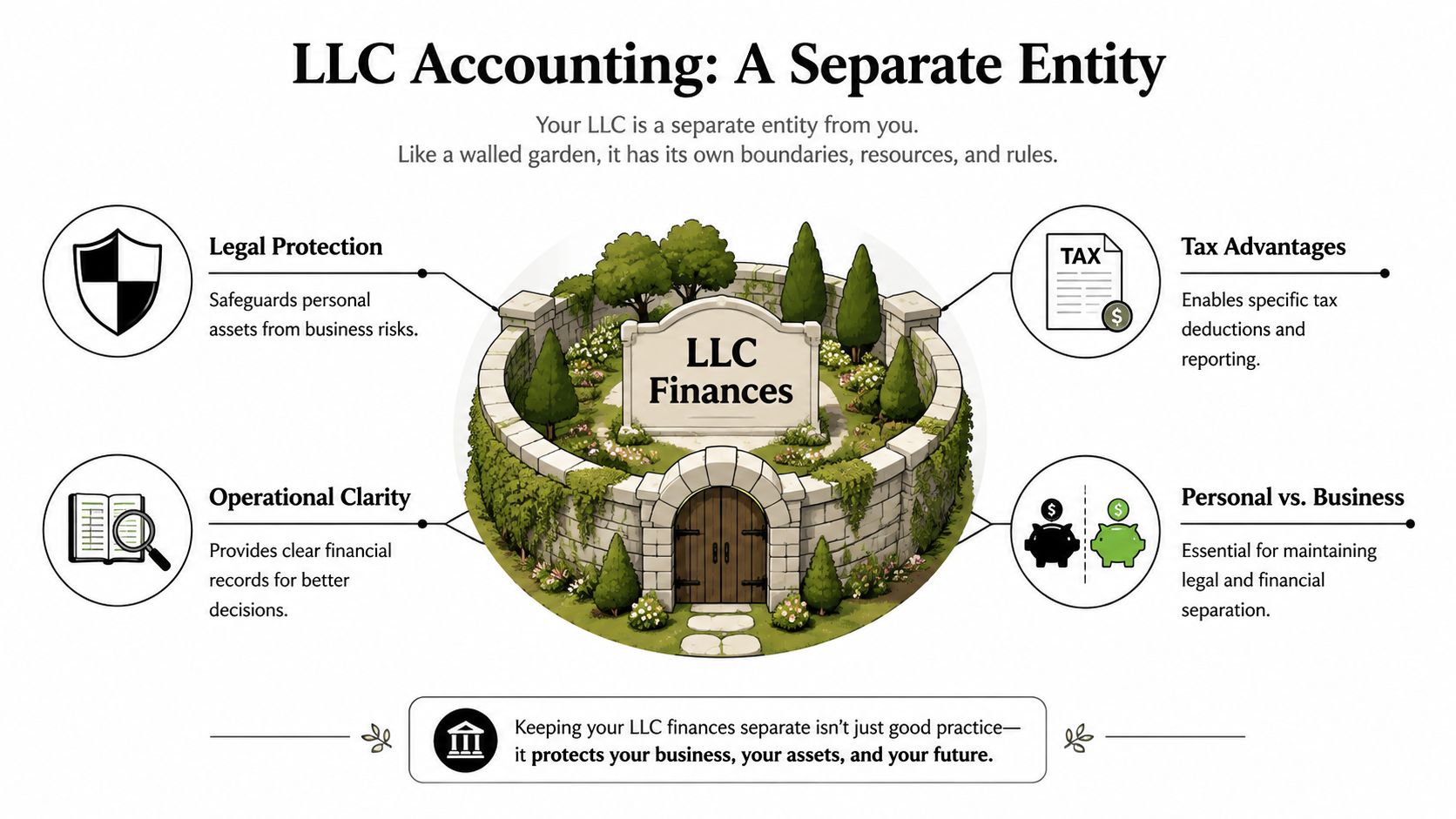
The wall between personal and business money
If you use the LLC debit card to buy groceries, pay a personal mortgage from the business account, or deposit client revenue into your personal account, you're weakening that wall. Your software should help prevent that by forcing categorization, documenting owner contributions and draws, and reconciling every account.
For a sole proprietor, messy records are common and still harmful. For an LLC, they are more dangerous because the entity's separation matters. Clean books support that separation. Sloppy books undermine it.
Pass-through taxation needs active tracking
Most LLCs are pass-through entities. That means the tax burden often lands on the owner, not the entity itself. This creates a practical problem many owners miss. Cash in the LLC account is not the same thing as tax-free money available to spend.
You need software that helps you answer questions like these in real time:
- What is the business earning?
- How much should I reserve for quarterly estimates?
- Are owner draws reducing cash I need for taxes?
- Which expenses belong to the business and which do not?
A weak system leaves you guessing. A good one lets you track profit monthly and coordinate estimated payments before the deadline becomes a crisis.
Separate legal status means separate financial discipline. Your software should make that discipline easier, not optional.
Self-employment tax and the S-Corp decision
Many generic software reviews fail to serve LLC owners effectively. The crucial issue isn't just recording income and expenses; it's whether your records support smarter entity-level decisions.
A profitable LLC may eventually consider an S-Corporation election to manage self-employment tax exposure. That decision depends on clean net income data, payroll planning, owner compensation, and reliable reports. If the bookkeeping is weak, the analysis is weak. If the analysis is weak, the election decision can be wrong.
The software doesn't make the election for you. But it must capture the information your CPA needs to evaluate it correctly. If it can't separate distributions, payroll, reimbursable expenses, and owner activity cleanly, it's not enough for a growing LLC.
The Non-Negotiable Features for LLC Software
Too many LLC owners shop for accounting software the way they shop for a note-taking app. They compare screens, pricing, and how "simple" it feels. That's the wrong lens. Your accounting software needs to reduce compliance risk and give you tax-ready records. If it can't do that, don't buy it.

Demand native integrations
This is first for a reason. If your general ledger, payroll, tax data, and expense systems are stitched together with weak connectors, errors can easily surface. According to CPACharge's discussion of accounting firm tech stacks, platforms with native integrations that sync automatically across general ledger, tax, and payroll modules are 30 to 40 percent less prone to synchronization failures. For an LLC handling payroll filings, sales tax, and year-end tax prep, that matters.
I prefer native over patched-together setups every time. Less breakage. Less cleanup. Better reporting.
Insist on these core functions
The baseline feature list isn't glamorous, but it separates serious software from toys.
- Automatic bank and credit card feeds: Your business accounts should import transactions daily so reconciliation stays current.
- Receipt capture and expense documentation: If your software makes receipts hard to attach, expenses will go undocumented.
- Professional invoicing and payment tracking: Revenue needs a source trail, not just deposits showing up in the bank.
- Balance sheet and profit and loss reporting: If the system can't produce both cleanly, move on.
- Accountant access: Your CPA or bookkeeper should be able to log in without workarounds or exported spreadsheet chaos.
- Payroll compatibility: If your LLC has employees or may elect S-Corp status later, payroll support matters early.
If you're comparing apps primarily for expense capture, this guide on how to choose an expense tracker is a good supplement. But remember, expense tracking alone is not accounting software for an LLC. It's one piece of the system.
Features that protect tax reporting
Some tools make daily bookkeeping easier but still fail at tax time. Watch for these warning signs:
| Warning sign | Why it matters |
|---|---|
| No meaningful balance sheet | You can't properly track loans, owner contributions, or liabilities |
| Weak audit trail | You may struggle to support classifications and adjustments |
| Limited user permissions | Collaboration becomes risky or inefficient |
| Poor payroll integration | Wages, payroll taxes, and liabilities may not tie out |
| Clumsy export options | Your tax preparer spends time cleaning data instead of advising |
My advice: Buy software your tax professional can work with immediately. Don't choose a platform that makes your CPA rebuild the books every year.
What I recommend most LLCs prioritize
For most LLCs, the best setup is boring in the right way. Reliable bank sync. Clear account structure. Consistent reconciliation. Strong reporting. Accountant access. Payroll capability when needed. Simplicity matters, but only after compliance and data integrity are covered.
That's the standard I use when advising clients on accounting software for LLC operations. Convenience matters. Clean records matter more.
Evaluating Top Software with a Tax-Savvy Eye
QuickBooks Online, Xero, and Zoho Books can all handle basic bookkeeping. That's not the hard question. The hard question is whether the software helps your LLC stay ready for tax planning, entity changes, payroll complexity, and CPA review.
Most roundups don't ask that question. They focus on interface, ease of use, and entry-level features. For an LLC owner, I care more about whether the platform creates usable financial records and supports better tax decisions.
The gap most reviews ignore
One of the biggest gaps involves S-Corp analysis. According to the cited review data in this discussion of LLC tax software gaps, only 8% of top-reviewed accounting tools explicitly model the tax impact of electing S-Corp status for an LLC, while 34% of profitable LLCs make that switch to reduce self-employment tax liability. That's exactly why software selection should never be based on bookkeeping alone.
Software can store the numbers. It usually won't interpret the election strategy well enough for you.
LLC software feature comparison
| Feature | QuickBooks Online | Xero | Zoho Books |
|---|---|---|---|
| CPA familiarity | Strong. Many firms already work in it | Strong | Moderate |
| Reporting depth for growing LLCs | Strong | Strong | Solid for many small LLCs |
| Payroll ecosystem | Broad | Varies by setup | Varies by setup |
| Ease of collaboration with outside accountant | Strong | Strong | Good, depending on workflow |
| Fit for DIY owner | Good, with setup discipline | Good | Good |
| Best use case | LLCs that want scale and accountant alignment | LLCs that want clean workflows and flexibility | Smaller LLCs that want affordability and simplicity |
My direct take on each option
QuickBooks Online is still the practical default for many LLCs. Not because it's perfect, but because it's widely used, supports strong accountant collaboration, and usually creates the least friction when your books get more complex. If you're choosing it, set it up correctly from day one. A bad QuickBooks file is still a bad accounting system. If you need help with that, this walkthrough on how to set up QuickBooks is worth reviewing.
Xero is a serious alternative. I like it for owners who value clean workflows and solid reporting. It can be a very good fit when the user wants strong bookkeeping habits and a modern interface. But you still need to confirm payroll, tax workflow, and accountant fit before committing.
Zoho Books can work for simpler LLCs that want a leaner setup. I don't dismiss it. I just wouldn't choose it based only on price if your LLC is likely to add payroll, pursue an S-Corp election, or require more involved tax planning.
A useful way to think about this comes from procurement disciplines outside accounting. This framework for all-in-one real estate platform selection gets one thing right. Choose software based on workflow fit, integration quality, and long-term operational needs, not a flashy demo.
Choose the platform your future CPA review will tolerate, not the one that feels easiest in a 14-day trial.
If you want my blunt recommendation, most LLCs that expect to grow, hire, or coordinate closely with a CPA should start with QuickBooks Online unless there's a clear reason not to.
Using Your Software for Strategic Tax Planning
Most LLC owners underuse their accounting software. They treat it like a storage locker for transactions. That's a waste. Properly used, the system becomes a planning tool that helps you make tax decisions before year-end instead of apologizing for them after year-end.

Turn monthly reports into tax decisions
Your software should produce a current profit and loss statement, balance sheet, and owner activity summary. Those aren't just reports for the file. They drive questions that save money or prevent mistakes.
For example:
- If profit is rising fast, your quarterly estimate strategy may need to change.
- If owner draws are heavy, you may need to preserve cash for taxes.
- If payroll is inconsistent, S-Corp compensation planning may need review.
- If expenses are miscategorized, deductions may be misstated.
A monthly review with your CPA is far more useful when the books are current and the reports are dependable.
Use benchmarking instead of guessing
Many owners look at expenses in isolation. That's too narrow. Good accounting software, combined with the right advisory process, can support benchmarking against similar businesses. According to BizMiner's discussion of financial benchmarking for accountants, integrated benchmarking tools can identify inefficiencies that may reduce taxable income by 5 to 12 percent when compared against peer group performance standards for similar LLC structures.
That doesn't mean software creates savings by itself. It means your numbers become actionable when compared intelligently. Payroll ratios, contractor costs, rent burden, and expense classification all become more useful when viewed against a peer baseline.
Catch anomalies before they become tax problems
This is where workflow matters. If your books are reviewed throughout the year, unusual transactions stand out earlier. That matters for LLCs with crypto activity, rental property income, capital gains, or owner reimbursements.
I recommend a standing process:
- Close the books monthly.
- Review unusual transactions while they're still fresh.
- Separate operational bookkeeping from tax strategy.
- Bring entity questions to your CPA before year-end.
One practical option for LLC owners who want support with bookkeeping, payroll, and tax planning in one workflow is Allied Tax Advisors, which works with QuickBooks-based processes for business clients. The key is not the brand name alone. The key is that the software and the advisor are working from the same set of clean records.
Your 30-Day Setup and Migration Plan
A bad migration creates months of cleanup. A disciplined first month prevents most of it. If you're moving from spreadsheets, desktop software, or a neglected file, keep the transition simple and controlled.
Days 1 through 7 get the structure right
Start with the skeleton of the system, not the old mess.
- Open or confirm dedicated business accounts: Your LLC needs separate bank and credit card activity.
- Choose a clean start date: Beginning on the first day of a month usually makes reconciliation easier.
- Build the chart of accounts carefully: Don't accept a generic template if your business has payroll, loans, sales tax, or owner transactions.
- Set user access correctly: Owner, staff, bookkeeper, and CPA should not all have the same permissions.
If you're moving from an older desktop environment, review the process for converting QuickBooks Desktop to Online before importing data. A rushed conversion often carries bad structure into the new system.
Days 8 through 20 connect and clean
Once the structure is in place, connect the actual activity.
Bring in bank feeds, credit card feeds, payment processors, and payroll connections. Then test the categorization logic. Don't trust auto-coding blindly. Automation is helpful, but owner distributions, loan payments, transfers, and mixed-use expenses still need human review.
Reconcile early. Don't wait until month-end to discover the bank feed pulled duplicate or partial transactions.
If you are migrating spreadsheet history, resist the urge to import every line from day one. In many cases, a clean cutover with opening balances is better than dragging old errors into the new file.
Days 21 through 30 establish the close routine
The software only works if the habit sticks. Your LLC needs a repeatable month-end process.
| Month-end task | Why it matters |
|---|---|
| Reconcile bank and credit card accounts | Confirms the books match reality |
| Review uncategorized transactions | Prevents tax-time cleanup |
| Check owner draws and contributions | Keeps equity reporting accurate |
| Review payroll postings | Confirms wages and taxes are recorded correctly |
| Run P&L and balance sheet | Flags errors while they are still fixable |
Keep the first month boring and accurate. Don't chase advanced reporting until the foundation is clean.
Conclusion Partner with Expertise for Financial Clarity
The right accounting software for LLC owners does more than record transactions. It protects separation between you and the business, supports cleaner tax reporting, and gives you the numbers needed for decisions like quarterly estimates, payroll planning, and a possible S-Corp election.
But software is still just a tool. QuickBooks, Xero, and Zoho Books can organize data. They can't decide whether your compensation is reasonable, whether your entity election timing makes sense, or whether your books are creating exposure. That's where experienced tax review matters.
My advice is simple. Pick software that your CPA can work with easily, build the file correctly from the start, and treat monthly bookkeeping as part of tax strategy, not a back-office chore. LLC owners who do that usually avoid the annual scramble and make better decisions throughout the year.
If your records are messy today, fix them now. If you're choosing software for the first time, choose with tax consequences in mind, not just convenience.
If you want help selecting, setting up, or cleaning up your LLC accounting system, contact Allied Tax Advisors. We help LLC owners align bookkeeping, payroll, and tax planning so the software produces useful records, cleaner compliance, and better decisions year-round.