
Choosing the best bookkeeping software for rental properties really boils down to a key decision: Do you go with a purpose-built tool like Stessa for its simplicity, or a powerful, all-purpose accounting platform like QuickBooks Online for its sheer flexibility? The right answer depends entirely on the size of your portfolio, how comfortable you are with technology, and where you see your investments heading.
Why Your Bookkeeping Software Matters
Graduating from a basic spreadsheet is a rite of passage for any serious real estate investor. Good software does more than just log transactions; it gives you the financial clarity to make smart decisions, stay prepared for tax season, and ultimately boost your return on investment. Without a proper system, you’re flying blind, risking inaccurate P&L statements, missing out on crucial tax deductions, and wasting hours on mind-numbing data entry.
My goal here is to help you find a tool that actually fits your needs as a landlord. We'll break down the top options through the lens of what truly matters for real estate investors.
Key Evaluation Criteria
To make a fair comparison, I’m judging each software on three core pillars that I’ve found matter most in the real world:
- Property-Specific Features: How well does the platform handle the unique demands of rental management? Think tracking income by individual unit, managing security deposit liabilities, and spitting out a Schedule E report without a headache.
- Scalability for Growth: Will this software grow with you? We’ll look at whether it can handle an expanding portfolio, from a single-family rental to a multi-unit apartment complex, without becoming a tangled mess.
- Tax Preparation and Reporting: How painless does this software make tax time? This covers its reporting muscle, integrations with tax software, and how easily you can hand the data over to your accountant. If you're new to this, understanding the fundamentals is a great start; you can learn more about bookkeeping basics for small business in our detailed article.
A great bookkeeping tool transforms your financial data from a historical record into a forward-looking roadmap. It should highlight which properties are performing best and where you have opportunities to improve cash flow.
A First Look at Top Contenders
To set the stage, let’s quickly look at the different philosophies behind three of the leading options. Each one represents a distinct approach to managing rental property finances.
| Feature | Stessa | Baselane | QuickBooks Online |
|---|---|---|---|
| Primary Focus | Real estate investors | Landlords & banking | General small business |
| Best For | DIY landlords (free) | Integrated banking/bookkeeping | Complex or diverse portfolios |
| Ease of Use | Very High | High | Moderate (requires setup) |
| Tax Reporting | Strong (Schedule E ready) | Good | Excellent (CPA preferred) |
What Modern Landlords Actually Need in Bookkeeping Software
Figuring out the best bookkeeping software for your rentals isn't about ticking off a long list of features. It's about finding the tools that actually make your life easier, improve your cash flow, and get you ready for tax time without the usual headache. These core functions are what separate a fancy spreadsheet from a true financial command center for your properties.
The main job, of course, is tracking money in and money out. But for a landlord, the details matter immensely. Generic accounting software just doesn't get it; it’s not built for the unique world of real estate investing. You need a platform that understands and simplifies the financial rhythm of a rental business.
Ditch the Manual Entry: Automate Your Income and Expenses
The biggest time-saver you'll ever find is automated rent collection. When a tenant can pay online with an ACH transfer or credit card, and that payment is automatically recorded for the right property and unit, you’ve just eliminated a huge chunk of manual work and potential for error. Just as important is the ability to automatically add and track late fees, which helps you enforce your lease consistently and protect your income.
On the flip side, you need granular expense categorization. Your software should sync directly with your bank accounts and credit cards, pulling in transactions as they happen. A truly smart system will start to recognize your spending patterns, suggesting categories for regular costs like the mortgage, insurance payments, or landscaping bills. This fine-tuned tracking is exactly what you need to squeeze every last dollar out of your tax deductions.
The right software doesn’t just log transactions—it gives you a live, honest look at your portfolio's health. You should be able to see at a glance if a property is struggling or if a certain expense is getting out of hand.
This move toward automated, cloud-based tools is changing everything. The global property management software market was valued at USD 3.2 billion in 2023 and is expected to climb to USD 7.8 billion by 2033. The driving force behind that growth? Tools that focus on accounting and cash flow, giving modern investors the real-time data they need to succeed. You can find more details on this trend in a report from PR Newswire.
Get Reports That Make Sense for Real Estate
A standard profit and loss (P&L) statement won’t cut it. Your rental software has to provide property-specific financial reporting. You need to be able to pull up a P&L, cash flow report, or balance sheet for each individual property, instantly. This lets you:
- Pinpoint your winners: Quickly see which properties are your top performers and are bringing in the highest net operating income.
- Find the weak links: Easily identify units that are draining your cash with high maintenance costs or frequent vacancies.
- Make smart decisions: Use real historical data to decide on rent increases, plan for capital improvements, or even time a sale.
A dedicated tenant ledger is another non-negotiable. This feature keeps a clean, legally sound record of every dollar exchanged with a tenant—rent, security deposits, fees, you name it. It creates a complete paper trail, which can be a lifesaver if you ever have to deal with a dispute or a complicated move-out.
Finally, make sure you have secure, cloud-based access. Your financial information needs to be available wherever you are, on any device. This means you can manage your business whether you're on-site doing an inspection or sitting in your accountant's office.
A Detailed Comparison of Top Bookkeeping Platforms
Picking the right bookkeeping software for your rentals can feel overwhelming. At first glance, many platforms look the same, but the real differences pop up once you get into the nitty-gritty of managing properties day-to-day. We’re going to compare four of the biggest names in the game—Stessa, Baselane, QuickBooks Online, and Buildium—to show you which tool truly fits your specific needs as an investor.
This isn't just a list of features. It's about how these tools work in the real world. A feature that looks great on paper can easily become a frustrating bottleneck if it doesn't align with how you run your business. From fully automated tools built just for landlords to powerful, do-it-all accounting engines, each platform has its own philosophy.
The most critical tasks for any landlord are collecting rent, tracking expenses, and generating financial reports.
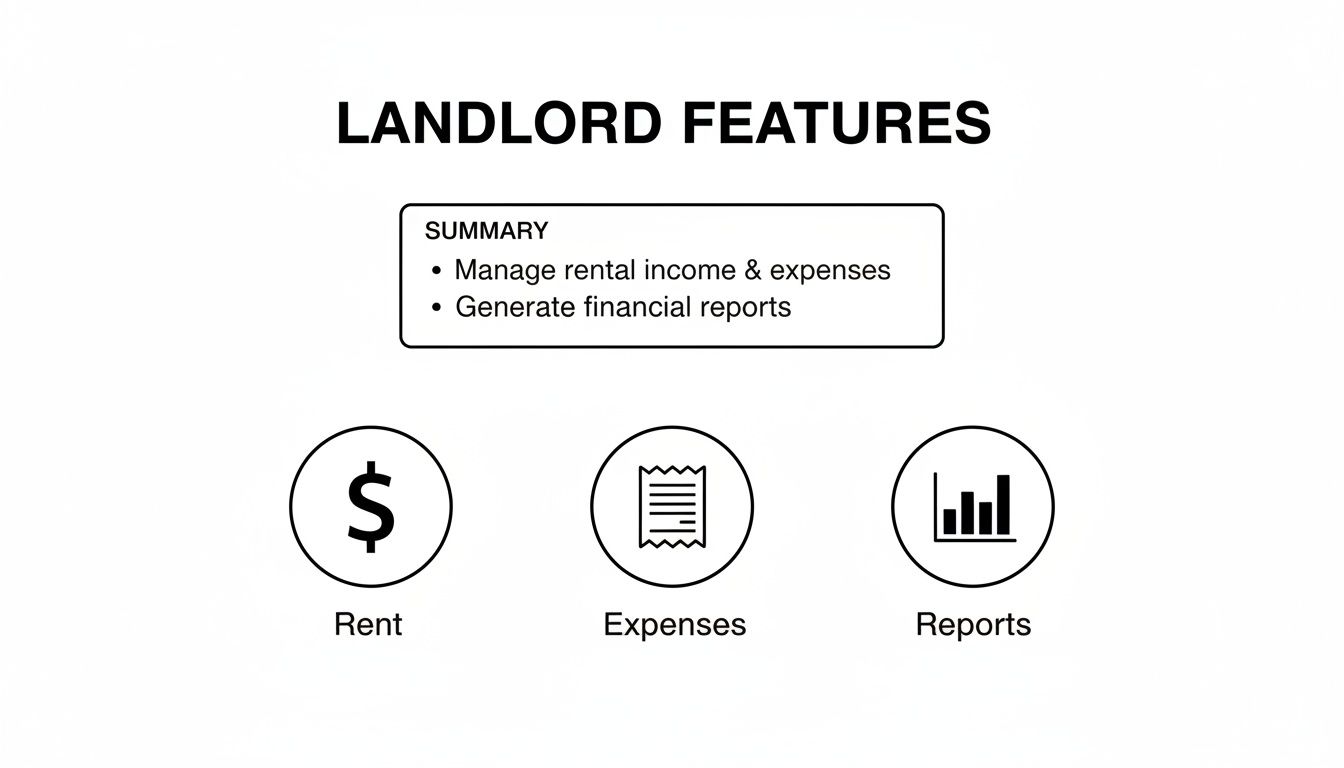
The best dedicated platforms weave these essential jobs into one seamless workflow, making your life much, much easier.
Stessa: The Purpose-Built Tool for DIY Landlords
Stessa was designed from day one with a single user in mind: the real estate investor. This isn't a generic accounting program with a few rental features tacked on; it is a rental accounting tool, through and through. That singular focus is its biggest advantage, making it incredibly easy to use for landlords who just want to track performance without needing an accounting degree.
The setup is a breeze. Just link your bank accounts, credit cards, and mortgage accounts, and Stessa’s automation kicks in. It pulls in all your transactions and intelligently sorts them to the right property, which can save you countless hours of mind-numbing data entry.
The dashboard gives you an instant, crystal-clear view of your portfolio's financial health, highlighting key metrics like:
- Net Operating Income (NOI)
- Cash Flow
- Appreciation
- Return on Investment (ROI)
Come tax time, Stessa shines. It generates a tax-ready package, complete with a report formatted to mirror the IRS Schedule E. For many investors, that feature alone is worth its weight in gold, especially if you dread the annual tax scramble.
Key Takeaway: Stessa's power is its laser focus on the DIY real estate investor. It’s built for automated performance tracking and simple tax prep, not complex double-entry accounting. If you want financial clarity with minimal effort, this is where you start.
Baselane: Banking and Bookkeeping in One
Baselane offers a pretty clever solution by combining banking and bookkeeping into a single platform. It provides FDIC-insured bank accounts for each of your properties, creating a self-contained financial ecosystem for your portfolio. This setup makes it incredibly simple to keep your personal and business finances separate—a fundamental best practice that many new landlords stumble over.
When you collect rent or pay for a repair using your Baselane account, the transaction is categorized instantly. There’s no waiting for accounts to sync or manually matching up transactions. The money moves and gets tracked all within the same system.
Beyond the integrated banking, Baselane has a solid lineup of landlord-specific features, like online rent collection and insightful analytics. It also lets you create virtual cards that you can assign to specific properties, giving you much tighter control over your spending. This all-in-one model closes the gap between where your money is and how it’s tracked.
QuickBooks Online: The Versatile Accounting Powerhouse
QuickBooks Online is the giant of small business accounting for a reason—it’s incredibly powerful. While it wasn't built specifically for landlords, its flexibility allows it to be molded into an exceptional tool for managing rental properties. This scalability is why its usage jumps from just 1% for single-unit owners to 57% for those with 21-100 units. It can handle complex accounting scenarios with ease, which is probably why 94% of its users also work with an accountant. For more on this trend, check out the full research from Hemlane.
The secret to making QuickBooks work for rentals is mastering its "Class" and "Location" tracking features. By setting up each property as a "Class," you can tag every dollar of income and every expense to a specific unit. This lets you generate detailed Profit & Loss reports for each property, giving you the same granular insight you’d get from a dedicated rental platform.
All that power, however, comes with a steeper learning curve. Unlike Stessa, which you can set up in minutes, QuickBooks requires you to do the work upfront. You'll need to build out your chart of accounts, create rules for transactions, and configure how you track each property.
Key Takeaway: QuickBooks Online is for the serious investor who runs their portfolio like a formal business. It's the go-to for anyone with complex ownership structures, multiple LLCs, or who works closely with a CPA and needs professional-grade, double-entry accounting.
Buildium: The All-In-One Property Management Suite
Buildium is in a league of its own. It's a complete property management system where bookkeeping is just one piece of a much larger operational puzzle. This platform is geared toward professional property managers and large-scale investors who need to manage far more than just the books.
Alongside its robust, GAAP-compliant accounting, Buildium offers a whole suite of tools to run your business:
- Tenant Portals: For collecting rent online, handling maintenance requests, and communicating with residents.
- Owner Portals: To share financial reports and updates with your investment partners.
- Leasing Workflows: From tenant screening and e-signatures on leases to syndicating listings across rental websites.
- Maintenance Management: A system to create work orders, assign them to vendors, and track them to completion.
Its accounting module is a beast, handling everything from bank reconciliations to automated 1099 e-filing at year-end. But the real value of Buildium is having every single aspect of property management under one roof, eliminating the headache of juggling a half-dozen different apps.
Feature Comparison of Leading Rental Bookkeeping Software
To help you see the differences at a glance, this table provides a side-by-side comparison of the key features, target users, integration capabilities, and pricing models for these top solutions.
| Feature | QuickBooks Online | Stessa | Baselane | Buildium |
|---|---|---|---|---|
| Primary Use Case | Professional-grade accounting for formal businesses. | Automated performance tracking for DIY investors. | Integrated banking and bookkeeping for landlords. | All-in-one property management for scaled portfolios. |
| Ease of Setup | Moderate: Requires manual setup of properties. | Very High: Link accounts and go. | High: Open accounts and start transacting. | Moderate: Requires configuring the entire management system. |
| Best For | Investors needing versatile, double-entry accounting. | Investors prioritizing simplicity and tax readiness. | Landlords seeking streamlined, integrated financials. | Property managers needing a full operational suite. |
| Cost Structure | Monthly subscription with tiered feature levels. | Free core platform with optional paid tiers. | Free banking and bookkeeping with transaction fees. | Monthly subscription based on the number of units. |
| Tax Reporting | Excellent, highly customizable and CPA-friendly. | Excellent, with a dedicated tax package. | Good, with standard financial reports. | Excellent, with 1099 e-filing and owner reports. |
Ultimately, the best bookkeeping software for your rentals comes down to where you are in your investment journey. If you’re a first-time landlord, Stessa’s simplicity is liberating. If you’re a growing property management firm, you’d quickly outgrow it and be better served by an all-encompassing system like Buildium. The right choice is the one that fits your business today and can grow with you tomorrow.
Which Software Fits Your Investor Profile
Picking the right bookkeeping software for your rentals isn't about finding the "best" one, but the best one for you. The ideal platform hinges entirely on your portfolio's size, its complexity, and where you're headed as an investor. What works wonders for a first-time landlord will quickly become a roadblock for a seasoned pro juggling dozens of units.
The key is to match the software's muscle to your specific needs. This way, you avoid overpaying for bells and whistles you'll never use or, even worse, picking a system you'll outgrow in a year. Let's break down my recommendations for four common landlord types.
The First-Time Landlord
When you're managing your very first property, your world revolves around simplicity, low cost, and clarity. You just need a system to automate the basics—tracking rent checks and categorizing Home Depot runs—without a massive learning curve or a scary price tag.
For this stage, Stessa is a fantastic starting point. It was built from the ground up for DIY landlords and, best of all, its core features are free. You can link your bank accounts, and Stessa automatically pulls in transactions and starts generating the reports you need. It even creates a tax-ready package that lines up perfectly with the IRS Schedule E. The dashboard gives you a clear snapshot of key numbers like your net operating income, all without burying you in accounting jargon.
The Growing Portfolio Owner (2-10 Units)
Once you've got a few properties under your belt, things get more complicated. You’re now juggling multiple income streams and expense pools, and you absolutely need to see how each property is performing on its own. While Stessa can still get the job done, you might start feeling the pull for more integrated management features.
This is where tools like Baselane or Landlord Studio really start to shine. Baselane's approach of combining banking and bookkeeping is a game-changer for staying organized. It lets you open separate, FDIC-insured bank accounts for each property right inside the platform. Meanwhile, Landlord Studio offers a great mix of strong accounting with must-have features like tenant screening and online rent collection, giving you an all-in-one system that can scale with you.
You'll know you've outgrown basic software when you realize you're spending more time trying to match up transactions across properties than you are actually analyzing their performance. The right tool for a growing portfolio puts everything in one place and gives you clean, property-by-property P&L statements at a glance.
The Professional Investor (10+ Units)
Managing 10+ units isn't a hobby; it's a full-fledged business. Your financial tracking has to be tough, scalable, and professional-grade. You're likely working with a CPA, might have complex ownership structures like LLCs, and could be tracking income from various sources. For investors focused on stable, long-term returns, you might even be looking into opportunities like assured rental income from government contracts.
For this level of complexity, QuickBooks Online is the industry standard. It's built on a double-entry accounting framework, which is exactly what your CPA wants to see. Using its "Class Tracking" feature, you can tag every transaction to a specific property, allowing you to generate incredibly detailed and customized financial reports. It definitely takes more work to set up than the landlord-specific tools, but for a complex real estate business, its power and flexibility are second to none.
The Full-Service Property Manager
If you’re managing properties for other people, your software needs to be a complete operational command center, not just a ledger. You need tools for handling tenant and owner communication, coordinating maintenance, running leasing workflows, and managing trust accounting properly.
For this role, an all-in-one property management platform like Buildium is the only way to go. Its accounting module is just one piece of a much larger system built to manage the entire property lifecycle. Buildium gives you owner portals for sharing reports, tenant portals for collecting rent and logging maintenance requests, and serious, GAAP-compliant accounting that can handle tricky tasks like 1099 e-filing and owner distributions.
This push toward integrated, cloud-based systems is reshaping the market. In fact, the U.S. property management software market is expected to grow by USD 447.3 million between 2024 and 2029. As detailed in this trend from industry analysis, the shift to the cloud is driven by accessibility and lower upfront costs, making these powerful tools more available than ever.
How to Set Up Your Bookkeeping for Success
You've picked your bookkeeping software. Great. Now comes the part where you turn that software into a powerful tool for your rental business. A solid setup from day one is the difference between clean, actionable data and a year-end accounting nightmare.
Getting this right means you can pull accurate reports, track every dollar, and make tax time a whole lot less stressful. Let's walk through the essential steps to build a reliable financial foundation for your properties.

Link Your Bank Accounts
First things first: connect all your relevant bank accounts. This includes any checking, savings, and credit card accounts you use for your rental activities. This is the key to automated transaction imports, which drastically cuts down on manual data entry and the inevitable errors that come with it.
- Connect the dedicated bank account for each property to keep your cash flows completely separate.
- Set the sync frequency to daily. You want those updates to be as close to real-time as possible.
- Keep a close eye on the imported transactions for the first week to make sure everything is syncing correctly.
Most platforms also let you create rules to automatically categorize transactions. For example, you can set a rule to tag any payment from "City Water" as a utility expense. This small step saves a surprising amount of time each month.
Build a Rental-Specific Chart of Accounts
Your software's default chart of accounts won't cut it. You need to customize it for the unique income and expenses of a rental business. This is what allows you to run property-level P&L reports and gives you the clean data needed for your Schedule E tax forms.
- Income Accounts: Create specific accounts for rent payments, late fees, pet fees, and any other income sources.
- Expense Categories: Break down your expenses into meaningful groups like repairs, maintenance, property management fees, insurance, and utilities.
- Liability Accounts: Don't forget to track security deposits held, prepaid rent, and any other money you owe back to tenants.
Think of your Chart of Accounts as the blueprint for your financial reporting. You can always adjust it as your portfolio grows or your business changes, but getting it right from the start is crucial. For instance, if you own a vacation rental, you’ll want a dedicated ‘Cleaning Services’ expense account.
Enter Property and Tenant Details
Now, start populating the software with the core details of your business. Enter each property, making sure to include the full address, any unit numbers, and the legal ownership entity (like an LLC).
Then, create a profile for each tenant. This is where you'll track critical information like lease start and end dates, security deposit amounts, and monthly rent. Keeping this data organized and accurate makes generating rent rolls a breeze and ensures you're always ready for an audit.
A well-populated property and tenant ledger simplifies monthly reconciliations and audit trails.
Digitize Your Historical Records
Don't let your old paper records gather dust in a shoebox. Get them into your new system. Scan or import past bank statements, receipts, and old lease agreements. Having a complete financial history in one digital location is invaluable for multi-year analysis and tax purposes.
Many tools have OCR (Optical Character Recognition) features that can turn a scanned receipt into searchable text. Be sure to tag your uploaded files with the property name and year so you can find them instantly.
| Task | Physical Records | Digital Setup |
|---|---|---|
| Receipts | Box files, sorted by date | Scanned PDFs tagged by category |
| Bank Statements | Printed statements | PDF imports with auto-sync |
| Lease Documents | Paper folders | Document upload to tenant profile |
One landlord I know scanned three years of receipts over a single weekend and cut his reconciliation time by 60% moving forward. It’s a bit of up-front work that pays off immensely.
Stick to a Month-End Workflow
Good bookkeeping is a habit, not a one-time task. You need to establish a consistent monthly routine. This workflow should include reconciling your bank accounts, categorizing all expenses, and running your key financial reports.
A simple tip is to set reminders in your calendar to close out your books within the first five days of each new month. This keeps the task from becoming overwhelming.
Here’s a basic month-end checklist:
- Perform monthly bank reconciliations right after your statements become available.
- Go through any uncategorized transactions and assign them to the correct expense accounts.
- Generate a P&L and cash flow statement for each individual property.
For more detailed guidance, particularly if you're using QuickBooks, check out our in-depth https://alliedtax.com/how-to-set-up-quickbooks/.
Ultimately, to keep your records audit-proof and ready for tax season, you need a professional approach to tracking business expenses. Taking the time to implement these steps will unlock the true power of your software, saving you time and providing the clarity you need to run your rental business effectively.
Frequently Asked Questions About Rental Bookkeeping
When you're managing rental properties, the financial side of things can get complicated fast. It doesn't matter if you're a first-time landlord or a seasoned pro; having the right tools and a solid system is non-negotiable. Let's tackle some of the most common questions we hear about bookkeeping for rental properties.
The idea here is to clear up the confusion so you can make a smart choice that saves you headaches down the road.
Can I Use QuickBooks for My Rental Properties?
Yes, absolutely. In fact, many serious investors rely on QuickBooks Online. While it wasn't designed out-of-the-box for landlords, its power lies in its flexibility. You just have to know how to set it up correctly.
The trick is to use its "Class Tracking" feature. This lets you tag every single transaction—every rent payment, every repair bill—to a specific property. Suddenly, you can pull up a crystal-clear Profit & Loss report for each individual unit, giving you that granular view you need to see what's really working. It takes more upfront effort than a dedicated tool like Stessa, but most CPAs love its robust, double-entry accounting foundation.
What Is the Easiest Bookkeeping Software for Landlords?
If you're looking for sheer simplicity, it's hard to beat Stessa. It was built from the ground up for one person: the real estate investor. It's the go-to recommendation for new landlords or those who prefer a DIY approach.
Getting started is as simple as linking your bank and mortgage accounts. Stessa takes it from there, automatically pulling in your transactions and sorting them into the right categories. Everything is laid out on a clean, easy-to-read dashboard. It's fantastic for tracking key metrics and, come tax time, it hands you a neat package that mirrors the IRS Schedule E. That alone can be a huge relief.
How Do I Keep Track of Rental Income and Expenses?
The best way, by far, is to let dedicated software do the heavy lifting. Trying to manage this on a spreadsheet is a recipe for errors and becomes a nightmare as you add more properties.
A good system should do three things for you:
- Sync directly with your bank accounts to pull in transactions as they happen.
- Provide online rent collection so payments are recorded the moment they're made.
- Use smart rules to categorize expenses automatically, putting repairs, utilities, and insurance in the right buckets.
This kind of automation doesn't just save you hours of manual data entry; it builds an accurate, audit-proof financial record for your business. For a closer look at what this entails, our guide on taxes on rental income breaks down the critical details.
Key Insight: Good bookkeeping software does more than just log past transactions. It gives you a real-time, accurate picture of your portfolio's financial health, empowering you to make smarter, data-driven decisions about your investments.
Ultimately, the best bookkeeping software for your rental properties is the one that fits your portfolio size, your technical comfort, and your long-term goals. Whether you need simplicity, scalability, or an all-in-one property management hub, the right tool is out there to help you tighten up your financial workflow and boost your returns.
Navigating rental property taxes and bookkeeping can be complex, but you don't have to do it alone. The team at Allied Tax Advisors specializes in helping real estate investors optimize their financial strategies, ensure compliance, and maximize deductions. Schedule a consultation with our experts today!