
You just sold a few handmade items through PayPal, or maybe you got paid for freelance work, and now you're staring at tax season wondering whether the IRS can see any of it. That question comes up every year because PayPal feels casual and private, but the tax rules behind it are more structured than one might expect.
The short answer is yes, PayPal can report certain activity to the IRS, but that answer leaves out the part that matters: what gets reported, when it gets reported, and how to read the numbers correctly. A 1099-K is not a tax bill, and the amount on it is not automatically your taxable income. The rest of the story is where people usually get tripped up.
Table of Contents
- What PayPal Actually Reports to the IRS
- The 1099-K Form and How It Differs from 1099-MISC
- Current Thresholds and How They Have Changed
- Backup Withholding and Why PayPal Asks for Your TIN
- Gross Payments versus Taxable Income and Why Reconciliation Matters
- Common Misconceptions That Lead to Mistakes
- Practical Next Steps for Individuals, Side Hustlers, and Businesses
- Staying Ahead of PayPal Reporting in 2026 and Beyond
What PayPal Actually Reports to the IRS
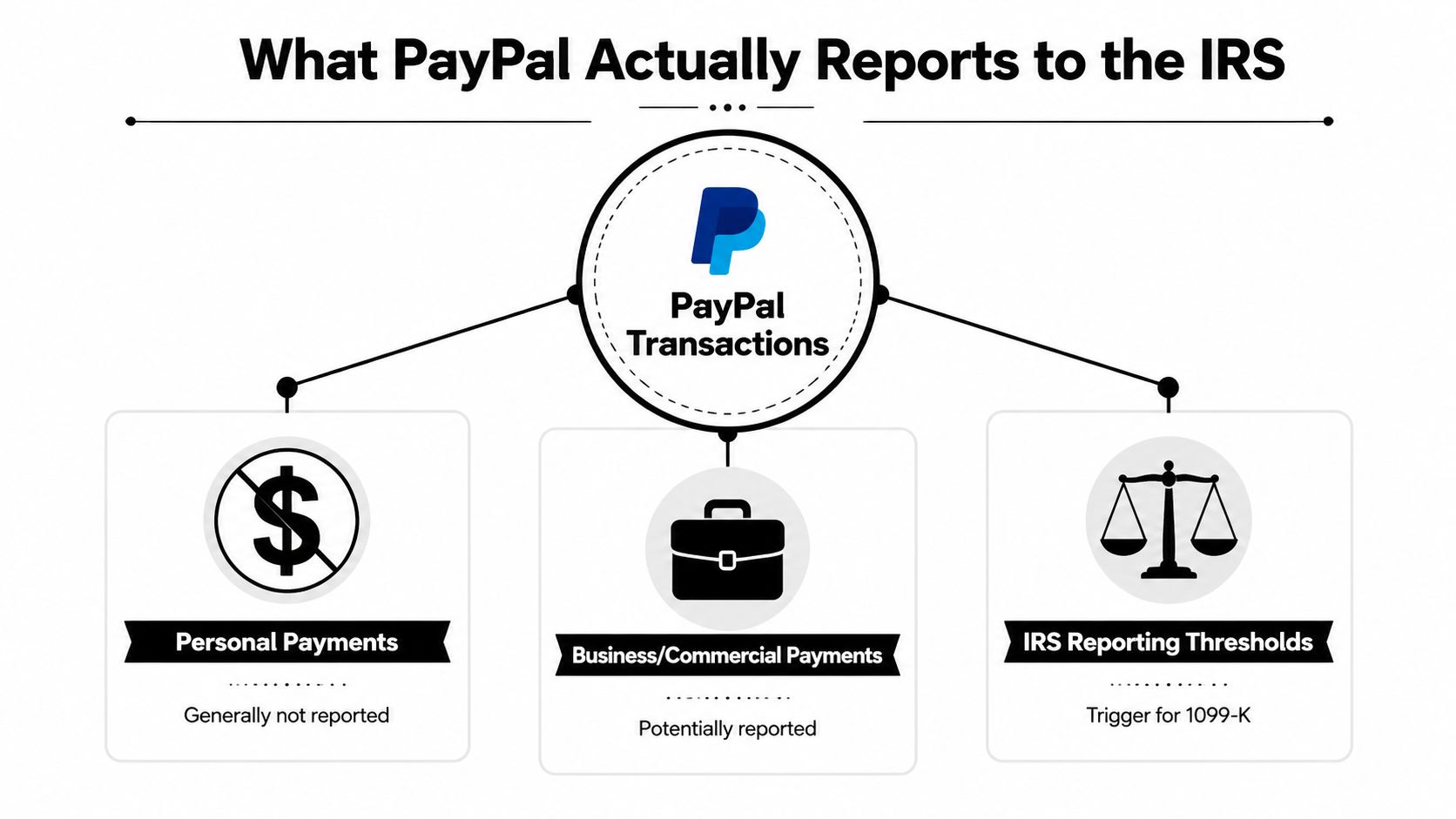
A busy holiday season can make a PayPal account look like a blur of deposits, refunds, and small transfers. If you sell on the side, the key point is straightforward, PayPal is not deciding whether you owe tax. It is collecting and reporting qualifying payment information when federal reporting rules apply. PayPal says it must issue Form 1099-K for payments received for the sale of goods and services when a seller exceeds the reporting threshold in a calendar year, and it also says it collects the account holder's name and Taxpayer Identification Number to satisfy IRS reporting rules (PayPal help center, PayPal taxpayer status help).
What gets reported
The cleanest way to think about PayPal is as a reporting middleman. It sends an information return, usually Form 1099-K, to the IRS when the reporting conditions are met, and in some cases it can report to state revenue authorities too (PayPal help center). That report is based on gross payment volume for qualifying transactions, not on your profit after fees, refunds, or expenses (PayPal taxpayer status help).
Practical rule: PayPal reports payment activity. It does not decide whether that activity is taxable.
That distinction matters because a seller can receive a form even when the final tax result is smaller than the number on the form. PayPal is not paying tax for you, and it is not calculating your deductible costs. It is feeding IRS matching systems with third-party information so the agency can compare what was reported against what you put on your return.
What PayPal does not do
PayPal does not label your income as business income or personal income for tax purposes. It also does not decide whether a sale was a gift, a reimbursement, or a taxable sale of goods and services. Those judgments still sit with you, and the records you keep outside PayPal are what let you support the return you file.
That is why a seller who treats PayPal like a private wallet can run into avoidable trouble later. The platform's reporting role is narrow, but the IRS can still cross-check it against your filed return if the transaction pattern meets the reporting rules.
The 1099-K Form and How It Differs from 1099-MISC
A PayPal payment can feel like one lump of money arriving in your account, but the IRS sees the reporting forms behind it in separate lanes. Form 1099-K is the form that usually applies when a payment platform or card processor handles money for goods or services. A simple way to understand it is that the form is a summary of processed payments, not a statement of what you ultimately owe in tax.
This guide to 1099 filing requirements gives useful background if you also receive contractor or business forms from other payers.
Why 1099-K exists
The IRS uses Form 1099-K for information-return compliance, which means it helps the agency match third-party payment data with tax returns. It does not calculate income tax for you, and it does not replace a Schedule C, a business ledger, or your own accounting records. A payment platform can report a gross amount that still includes items you later need to sort into taxable and non-taxable parts.
That is where confusion usually starts. The 1099-K tells the IRS what PayPal processed, but it does not tell the IRS what part was profit, what part was refunded, or what part was personal reimbursement. The taxpayer still has to separate those pieces.
How it differs from 1099-MISC
Form 1099-MISC is a different reporting tool. It has historically been used for miscellaneous types of income outside standard third-party payment processing, while 1099-K is tied to payment platforms and card activity. The difference is less about tax rate and more about how the money moved and which party had the reporting duty.
A contractor paid directly by check or ACH may receive a 1099-MISC or another contractor form depending on the payer and the payment type, while a seller paid through PayPal is in the 1099-K lane because the platform itself processed the transaction. That distinction matters because the form you receive often depends on the payment channel, not on whether the income feels personal or business-like. A missing 1099-K does not automatically mean the IRS cannot see the income, and a received 1099-K does not mean the tax is already resolved.
When a form looks off, the answer is reconciliation, not guesswork. Compare the PayPal totals with your invoices, refund records, and expense documentation, then use those records to line up gross receipts with taxable income. For broader filing context, 1099 filing requirements guidance can help you see how payment-platform reporting fits alongside other IRS forms.
Current Thresholds and How They Have Changed
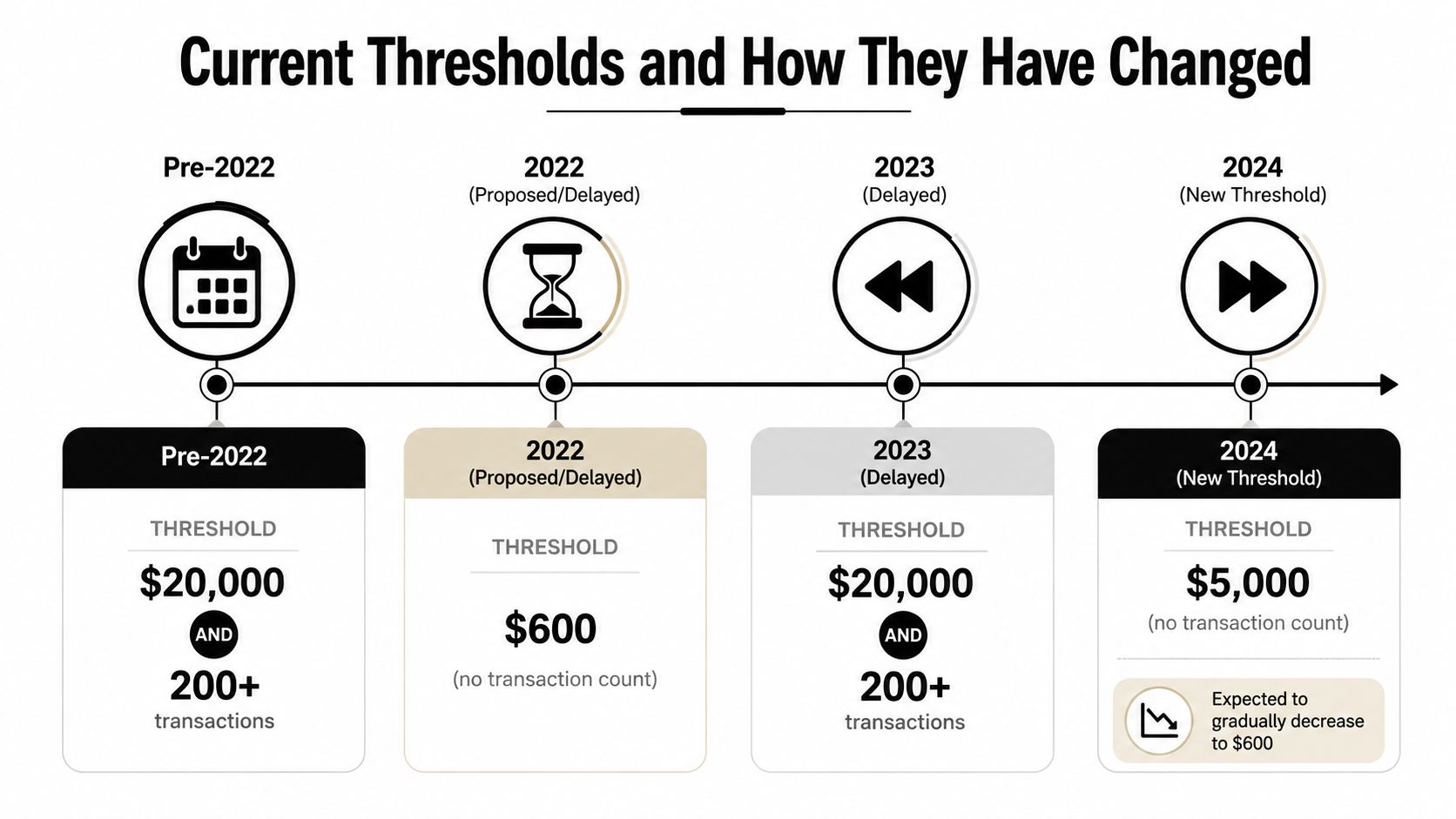
The threshold question trips up a lot of people because the reporting rule has changed more than once, and the paperwork depends on the tax year, not just on how a PayPal account is used. PayPal's help center describes the long-standing federal baseline as more than $20,000 in gross payments and more than 200 transactions for goods and services, and it notes that PayPal reports qualifying activity to the IRS rather than deciding taxability itself. Industry guidance also explains that the threshold has been revised in recent years, which is why sellers hear different numbers depending on which filing season they are looking at (TurboTax guidance).
Why the threshold has been confusing
Federal law moved toward a much lower trigger for third-party payment platforms, then changed again, which made planning difficult for sellers trying to keep their records straight. One tax source says the requirement returned to more than $20,000 and more than 200 transactions for tax year 2025 and was applied retroactively to years beginning in 2022 after legislation in July 2025 (TurboTax guidance). Another tax source describes a sequence of thresholds for PayPal-like platforms of $5,000 for 2024, $2,500 for 2025, and $600 from 2026 onward (TurboTax guidance).
| Tax Year | Threshold | Notes |
|---|---|---|
| Pre-2022 | More than $20,000 and more than 200 transactions | Long-standing federal baseline for goods and services |
| 2022 | Revised during the period of changing federal guidance | Threshold rules became unstable and confusing |
| 2023 | Revised during the period of changing federal guidance | Sellers faced shifting expectations |
| 2024 | Reported as $5,000 in some industry guidance | Transitional rule described for PayPal-like platforms |
What that means in practice
The planning point is not memorizing every past proposal. It is knowing that the threshold depends on the tax year and that federal rules have been in motion, which affects when a seller receives a 1099-K and when IRS matching systems are more likely to see the income. If you are filing for a year with a lower trigger in force, the odds of receiving a form go up even when your business is modest.
For a seller, the safe habit is to keep clean records every year, not only in years when you expect a form.
Backup Withholding and Why PayPal Asks for Your TIN
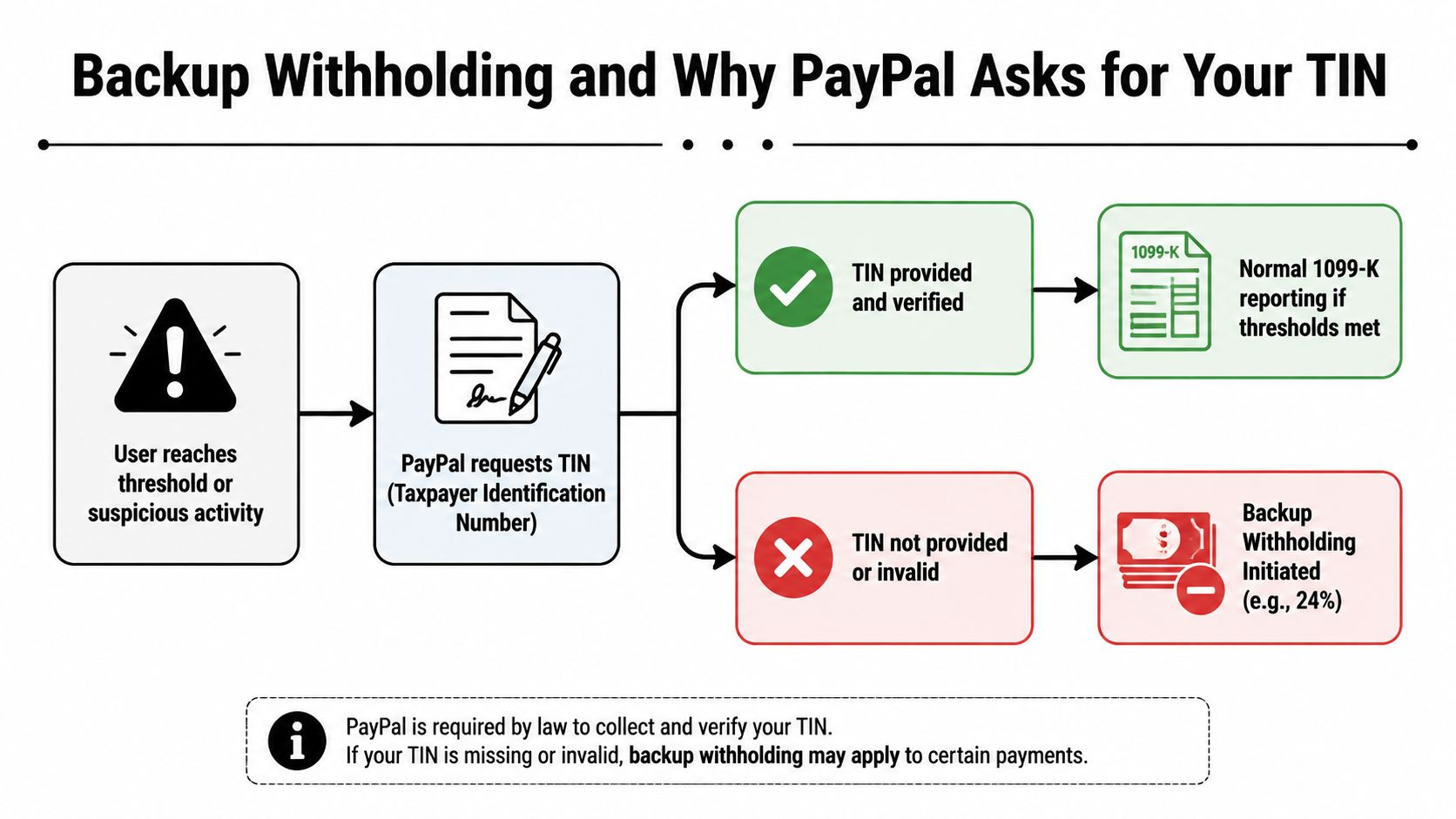
The first time PayPal asks you to confirm taxpayer status, the reporting system starts to feel real. If the information on file is incomplete or does not match, PayPal can apply 24% backup withholding and send that withheld amount to the IRS, where it is credited against any income tax owed. That withholding is part of the IRS collection process, not an extra fee from PayPal.
What happens when the information is correct
If your name and TIN match what PayPal needs for reporting, the platform can file the information return in the normal way once the reporting threshold is met. The account clears the identity check, and there is no extra withholding step added on top.
That confirmation matters even when the account seems small. IRS reporting depends on matching taxpayer identity, not only on the size of the payment history. If PayPal cannot verify the information, it has to protect itself by withholding and reporting as required.
What happens when it isn't
If the TIN is missing or invalid, backup withholding can apply to qualifying payments. The withheld money is still yours for tax purposes, but it is no longer available in your PayPal balance for cash flow. PayPal sends it to the IRS and credits it against what you owe, so the issue affects both reporting and timing.
A useful starting point for contractors and businesses is This W-9 guide, which explains why taxpayer information has to be collected before year-end and why payers ask for it in the first place.
Why this gate matters
Many users treat tax reporting as something that happens only at filing time. PayPal's TIN request shows that the process often begins much earlier, at the point where the platform has to confirm who it is paying and reporting for. If the taxpayer details are wrong, the account may be flagged before a return is ever prepared.
The idea is simple. When the IRS can match the payment information to a real taxpayer record, the reporting process moves normally. When it cannot, backup withholding is the safety valve that keeps the payment trail connected to the tax return.
Bottom line: confirming taxpayer status helps keep the account in good standing and prevents avoidable withholding.
Gross Payments versus Taxable Income and Why Reconciliation Matters
A PayPal 1099-K can look larger than the income you need to report. That is because PayPal reports gross payment volume, the full amount that moved through the account before refunds, fees, shipping costs, returns, and other business expenses are taken out. If you skip reconciliation, the return can end up using a number that is too high, even when your real profit is much lower.
A simple way to see the difference is to separate the money that flowed through PayPal from the money that counts as income after the tax rules are applied. Gross payments are the total stream, like the amount entering a funnel. Taxable income is what is left after the allowable adjustments come out the other end.
A simple worked example
Suppose your PayPal sales for the year total $25,000 in gross payments. If some of those sales were refunded, and if you also paid merchant fees and ordinary business expenses, the taxable amount is no longer that full gross figure. The 1099-K still reflects the gross receipts, but your tax return should reflect the adjusted result after the amounts the tax rules allow are removed.
That is why the form and the return serve different purposes. The form is a reporting record. The return is where the tax calculation happens.
What to reconcile
A careful review usually starts with three records, your PayPal activity summary, your 1099-K, and your business books. The job is to line up gross receipts, refunds, and expenses so you can explain the gap between what PayPal processed and what is taxable.
A good bank-reconciliation habit helps here, and this guide to reconciling business accounts is a useful parallel if you want to compare the process with ordinary bookkeeping.
- Match gross receipts: Compare the PayPal year-end summary to the 1099-K.
- Separate refunds: Pull out amounts returned to customers so they do not remain in the income total.
- Track fees and expenses: Keep support for PayPal fees, shipping, supplies, and other deductible items.
- Keep proof of personal transfers: Document anything that was not payment for goods or services.
The same discipline applies whether you run a side hustle or a larger business. Treat the 1099-K as the starting line, then use your own records to arrive at the number that belongs on the return.
Good records do more than reduce stress. They keep the IRS from seeing a figure that is larger than your actual taxable result.
Common Misconceptions That Lead to Mistakes
A lot of bad advice about PayPal taxes sounds confident because it mixes a true statement with a false one. The result is usually a mistake at filing time, not a surprise from the platform. The safest approach is to strip each myth down to the actual rule.
Myth and reality
Myth: Personal PayPal transfers are always invisible to the IRS.
Reality: Personal transfers are generally outside 1099-K reporting, but mixed accounts and misclassified transactions can muddy the picture, which is why you should keep personal and business activity separate.Myth: Falling below the threshold guarantees no reporting.
Reality: Thresholds have shifted, and payment platforms can still have reporting obligations in some situations. The threshold is a filing trigger, not a guarantee that nothing gets reported.Myth: A 1099-K creates a separate tax you owe.
Reality: The form reports activity. It doesn't create a new tax category or calculate your final bill.Myth: Selling casually means you're off the hook.
Reality: Casual activity can still create taxable income if the payment was for goods, services, or a gain on a sale.
The easiest mistake to make is assuming the label on a PayPal transfer settles the tax question. It doesn't. The IRS cares about the substance of the transaction, and your records matter more than the platform's convenience labels.
If you're unsure whether something was a personal transfer, a sale, or taxable business income, that's the point to slow down and look at the facts before you file.
Practical Next Steps for Individuals, Side Hustlers, and Businesses
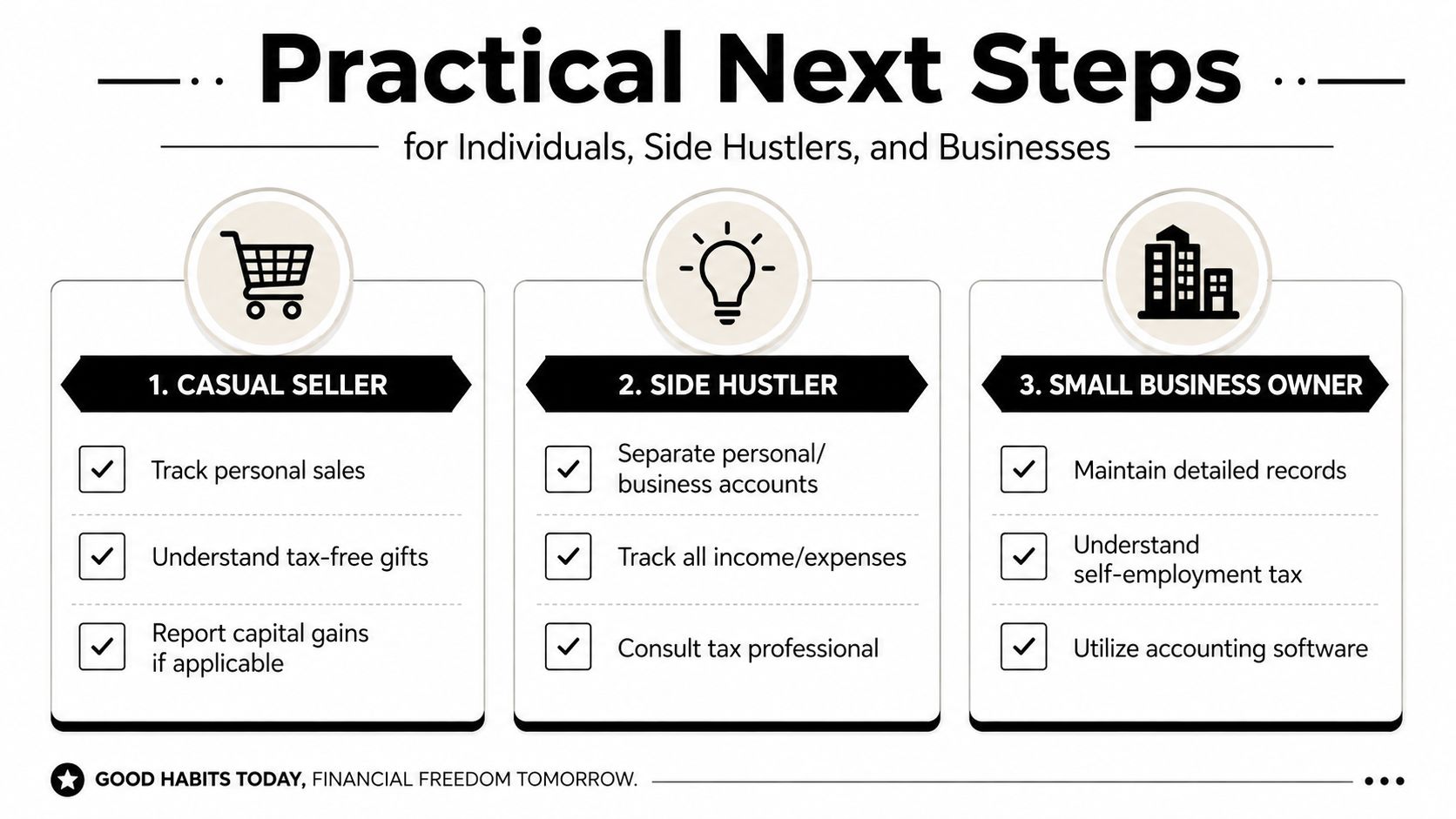
Different users need different cleanup steps, but the first move is always the same, separate the personal from the taxable. Once that's done, the right follow-through depends on whether you're a casual seller, a side hustler, or a business owner with recurring activity. PayPal reporting is manageable when the records are kept in the same spirit as your bank statements, invoices, and receipts.
Profile based checklist
| Profile | Reporting Risk | Key Action |
|---|---|---|
| Casual Seller | Low to moderate, depending on whether any sales created taxable gain | Keep records showing what was sold, what it cost, and whether it was personal or taxable |
| Side Hustler | Moderate, because goods and services payments can stack up quickly | Separate accounts and reconcile PayPal activity monthly |
| Small Business Owner | Higher, because PayPal reporting is only one piece of the tax picture | Maintain organized books and tie PayPal records to your accounting system |
What each reader should do next
Casual seller: Track personal sales carefully, because selling a personal item for a gain can be different from getting reimbursed by a friend. If you want a broader personal-tax lens for online activity, this paying taxes for online business guide can help frame the difference between hobby-like activity and real business reporting.
Side hustler: Keep business and personal accounts separate, then download year-end reports before you file. If your work also raises questions about benefits or deductions, a guide to health insurance options for contractors can be useful context when you're building a full self-employed budget.
Small business owner: Capture deductible expenses as they happen, not at tax time, and use accounting software that can reconcile platform deposits with bank activity. If your volumes, forms, or notices are getting harder to untangle, that's usually the point where professional review saves more stress than it costs.
A tax professional becomes especially valuable when you have multiple payment platforms, mixed personal and business deposits, state filing questions, or an IRS notice that doesn't match your records. At that point, the issue is no longer just whether PayPal reports to the IRS, it's whether your books can explain the report cleanly.
Staying Ahead of PayPal Reporting in 2026 and Beyond
The dependable answer is still yes, PayPal reports certain transactions to the IRS. What keeps changing is the trigger point, and the moving threshold history is exactly why sellers should stop relying on old forum posts or last year's advice. Treat every year as its own reporting year, because the rules attached to it may not look the same as they did before.
The best habits are simple. Confirm taxpayer status on your payment accounts, treat gross PayPal volume as a starting point rather than the final tax number, and keep personal and business activity separated from the beginning. If the reporting rules shift again, good records are what let you adapt without scrambling.
For many, the objective isn't to fear PayPal reporting, it's to make it unremarkable. When your activity summaries, refunds, fees, and expenses already line up, a 1099-K becomes just another document, not a surprise.
If you want help sorting PayPal activity, 1099-Ks, or mixed personal and business records, Allied Tax Advisors can review your return, reconcile the numbers, and help you file with confidence. Visit Allied Tax Advisors to get help with reporting questions, tax planning, or IRS notices before a small mismatch turns into a bigger problem.