
You're probably staring at a small stack of tax documents, sorting W-2s, 1099s, and brokerage statements, and then you hit Form 1098-E. That's usually the moment the questions start. Does this matter? Do I need it? If I paid student loans but never got one, am I stuck?
Here's the direct answer. The 1098-E tax form matters because it's the document tied to the student loan interest deduction, which can lower the income you're taxed on if you qualify. It's also one of the more misunderstood forms in a tax file because the easy explanations leave out the messy parts people deal with, like multiple servicers, missing forms, and cosigner confusion.
If your tax return feels straightforward until student loans enter the picture, that's normal. The deduction itself isn't hard. What causes problems is paperwork, software entry, and knowing whose name and records control the claim. Your broader income picture also matters, which is why it helps to understand how adjusted gross income works before you finalize deductions tied to income limits.
Table of Contents
- An Introduction to Form 1098-E
- What Is Form 1098-E Student Loan Interest Statement
- How to Claim the Student Loan Interest Deduction
- Navigating Common 1098-E Complications
- What to Do If Your 1098-E Is Missing or Incorrect
- Advanced Scenarios State Taxes and Business Owners
- Your Tax Filing Next Steps
An Introduction to Form 1098-E
You open your tax file, see a 1098-E from one loan servicer, maybe another from a refinance lender, and then wonder which number belongs on the return. That confusion is common, and it leads to missed deductions, duplicate entries in tax software, and bad assumptions about who gets to claim the interest.
Form 1098-E matters because it supports the student loan interest deduction. For the 2025 and 2026 filing seasons, the form is still the starting point, but it is not the whole answer. You also need to confirm that the loan was used for qualified education expenses, that you meet the filing rules, and that your income falls within the deduction limits tied to your adjusted gross income.
Use this form actively. Do not file it away and assume the software will sort it out for you.
The taxpayers who make mistakes here are usually dealing with details that basic articles skip. They have multiple 1098-E forms, they refinanced during the year, or they cosigned a loan and are not sure whether paying the bill means they can take the deduction. Those are practical compliance issues, not edge cases. If you handle them correctly, you protect the deduction you are entitled to and avoid reporting the wrong amount.
What Is Form 1098-E Student Loan Interest Statement
You receive a 1098-E, enter it into tax software, and then stop when the number does not match what you remember paying. That is one of the most common trouble spots with student loan interest. Form 1098-E is not a monthly billing summary. It is the lender's year-end tax statement reporting student loan interest tied to your account.
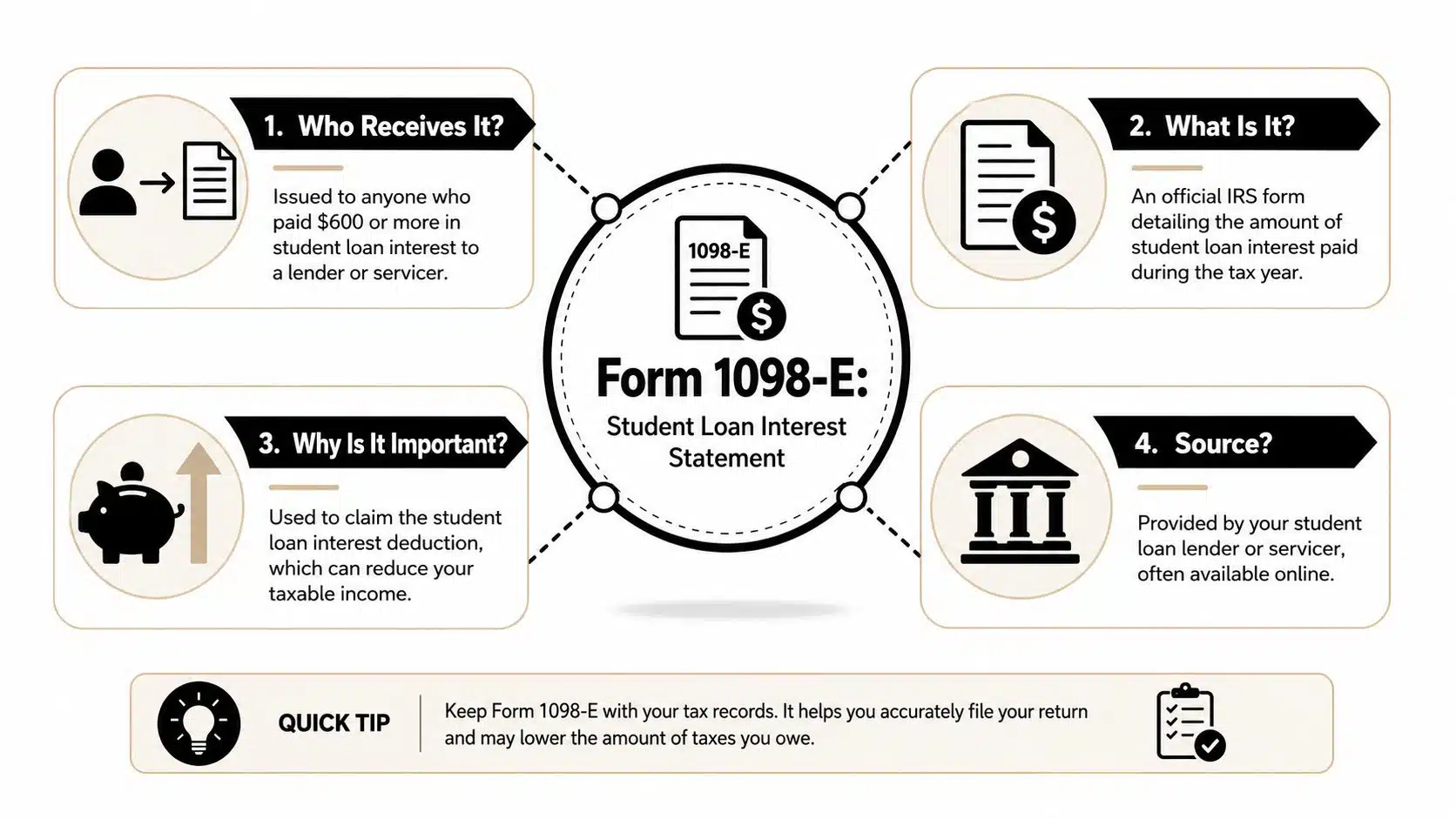
Treat it as a supporting tax record, not as proof that you automatically get the deduction. The form helps establish how much interest was reported under your loan, but you still need the underlying facts to be right. Keep it with the rest of your year-end tax document checklist so you can verify the amount before you file.
Who sends it and when
Your student loan servicer sends Form 1098-E if the interest paid on your qualified student loans meets the reporting threshold for the year. If you had several loans with the same servicer, that servicer may combine the interest and issue one form instead of separate forms for each loan.
That point matters more than taxpayers expect.
It explains why one borrower gets a single 1098-E covering multiple accounts, while another gets several forms because the loans were split across different servicers or moved after a refinance. If you see more than one 1098-E, do not assume one of them is a duplicate. Match each form to a specific servicer and account history first.
If no form arrives, do not jump to the conclusion that no deduction is available. A missing 1098-E can mean the reporting threshold was not met, the form is posted online instead of mailed, or the loan changed hands during the year.
Understanding Box 1
Box 1 is the number that gets the most attention because it reports the student loan interest amount for tax purposes. In many cases, that figure will not line up neatly with what you remember from monthly statements, payoff screens, or autopay confirmations.
That mismatch is normal.
The year-end tax figure can reflect items that do not show up the same way in your regular billing view, including interest that became part of the balance through capitalization. Use the Box 1 amount as your starting point for the return unless your records show a clear reporting error.
This is also where cosigner confusion starts. The form is issued to the borrower tied to the debt record. It is not automatically issued to every person who helped pay the loan. If you are a cosigner, do not assume that receiving statements or making payments gives you the deduction. The legal obligation, who paid, and who is treated as the borrower all matter.
A few practical points help avoid bad entries:
- Borrower name matters: The 1098-E is issued under the borrower's tax record.
- Delivery may be electronic: Many servicers post the form in the online account instead of mailing it.
- Multiple forms are common: Refinancing, servicing transfers, and separate lenders can create more than one valid 1098-E.
- Software entry should match the forms: Enter each form once. Do not combine or duplicate amounts unless your records show the same interest was reported twice.
The form tells you what the servicer reported. Your job is to make sure it belongs on your return, in the right amount, for the right taxpayer.
How to Claim the Student Loan Interest Deduction
You sit down to file, type in the 1098-E, and expect the deduction to be automatic. Then the software asks questions about filing status, income, and who was legally responsible for the loan. That is the point where taxpayers make preventable mistakes.
Claim the deduction only after you confirm the facts support it. Form entry comes second.
Start with eligibility
Before you enter a dollar amount, confirm three things.
- The loan was used for qualified education expenses. The debt must relate to education costs such as tuition, fees, room and board, and other qualified expenses.
- You are the taxpayer allowed to claim the interest. Legal obligation matters. Payment alone does not settle the issue, which is why cosigners get tripped up here.
- Your filing status allows the deduction. Married filing separately does not qualify. Income can also reduce or eliminate the deduction for the year you are filing.
If one of those points fails, stop and fix that question before you touch the software.
Good records help. Correct facts matter more.
Use the right amount on the return
Once eligibility is clear, start with the amount reported for tax purposes. If you received one Form 1098-E, use Box 1 as your starting number. If no form was issued because your interest fell below the reporting threshold, use your year-end payment history and servicer records to calculate the interest you paid.
Use a simple process:
- Gather every student loan tax document before you begin. Do not enter one form and assume that is the full picture.
- Confirm each loan was used for qualified education costs. If part of the debt was used for something else, do not force it into the deduction.
- Use Box 1 when a 1098-E was issued. That is the amount the servicer reported for tax reporting.
- Keep support for any amount you calculate yourself. If the IRS asks questions later, you need more than a guess.
This is also where taxpayers with multiple loans need to stay organized. You may have one lender, several lenders, or a refinance that split reporting across servicers during the year. Your return still needs one correct deduction amount, supported by clean records.
Most tax software carries the deduction through the adjustments section of the return. The screens vary. The forms matter more than the interview prompts, so review the final return before you file.
About the 2026 phase-out table
Use the income limits for the exact return year you are filing. Do not rely on old thresholds copied from prior-year articles or outdated software screenshots.
The table below stays conservative for a reason. This article does not invent 2026 MAGI phase-out amounts that were not verified in the approved source set.
| Filing Status | Deduction Begins to Phase Out | Deduction is Eliminated |
|---|---|---|
| Single | Check current IRS guidance for the filing year | Check current IRS guidance for the filing year |
| Head of Household | Check current IRS guidance for the filing year | Check current IRS guidance for the filing year |
| Married Filing Jointly | Check current IRS guidance for the filing year | Check current IRS guidance for the filing year |
| Married Filing Separately | Not eligible | Not eligible |
Tax software updates these thresholds automatically. Review the output anyway. A bad filing status entry or an income item placed in the wrong spot can wipe out the deduction or create one you were never entitled to claim.
My recommendation is simple. Treat the student loan interest deduction like any other adjustment that depends on both documents and facts. Verify eligibility first, enter the right amount second, and review the final return before you file.
Navigating Common 1098-E Complications
Standard articles usually fail taxpayers. They define the form, mention the deduction, and stop. Real tax problems show up later, when the software doesn't behave the way people expect or when the person holding the paperwork isn't the person who can claim the interest.
When you have more than one 1098-E
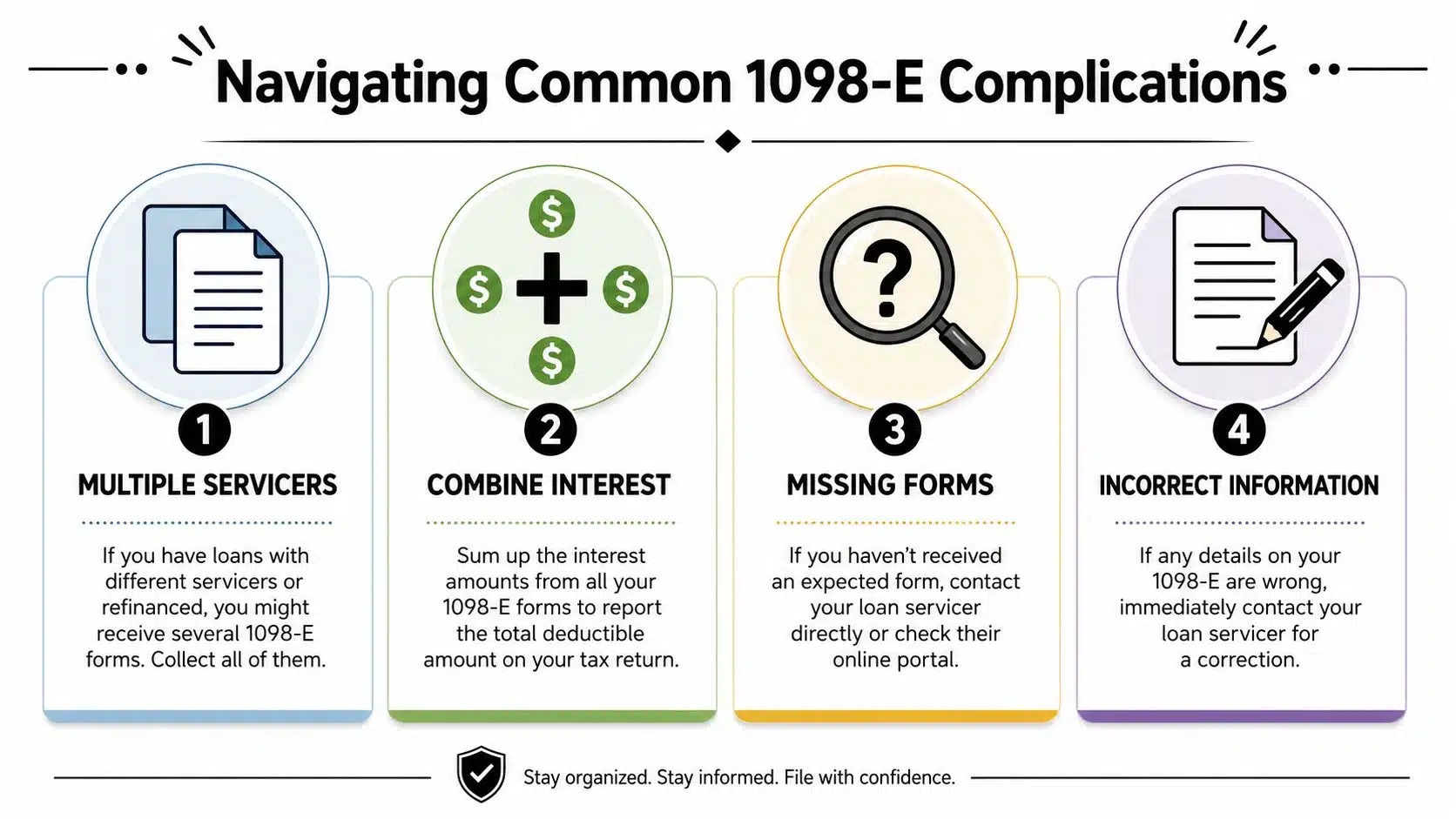
If you have federal loans with one servicer and private loans with another, or you refinanced during the year, you may receive multiple forms. That's normal. The mistake is assuming your tax software will let you enter each one separately in a neat, one-by-one sequence.
According to a user guidance thread from FreeTaxUSA's community discussion on entering two separate 1098-E forms, taxpayers often cannot enter each 1098-E separately and instead must manually add the interest from all forms and enter the single combined total in the student loan interest section. That's not intuitive, and it's exactly why people think the software is broken when it's really expecting an aggregate number.
Use this approach:
- Collect every form before you start: Don't enter the first one and move on.
- Add the interest amounts together manually: Use the reported interest from each applicable form.
- Enter one total if the software requires it: Follow the software workflow, then verify the final forms.
- Save each original form anyway: The return may show one combined amount, but your records should show how you got there.
What cosigners need to know
Cosigners get especially bad information online. Many search for a 1098-E because they helped pay the loan and expect the same tax form as the primary borrower. That's usually the wrong expectation.
Sallie Mae states in its student loan tax information and forms guidance that cosigners receive a tax information letter instead of Form 1098-E, while the borrower receives the form. That distinction matters because people often waste time hunting for a document they were never going to receive.
Cosigner reality: If you're a cosigner, start by confirming what document the lender actually issues to you. Don't assume missing paperwork means the lender made a mistake.
If you're the borrower, use borrower documents. If you're the cosigner, read the lender's tax letter carefully and don't assume you can mirror the borrower's treatment. Student loan deduction rules are one area where “I helped pay it” and “I'm entitled to deduct it” are not the same thing.
What to Do If Your 1098-E Is Missing or Incorrect
A missing or inaccurate 1098-E tax form is annoying, but it's manageable. The key is to respond in the right order instead of guessing.

Missing form
Start with your servicer's online portal. Many borrowers don't get a paper copy because the account is set to electronic delivery. Earlier guidance in this article already covered that online access is common, so that should be your first check.
If the form isn't there, contact the servicer directly and ask whether one was issued. Be specific. Ask whether your interest met the reporting threshold and whether the tax form was posted under statements, tax documents, or year-end forms. If your records show interest paid but no form was required, keep those records and use them to support the deduction if you qualify.
Wrong amount in Box 1
Don't “fix” the number on your own return just because it doesn't match a monthly statement. Remember that Box 1 can include items such as capitalized interest and consolidation fees, so differences don't automatically mean the form is wrong.
If the form is inaccurate, contact the servicer and request a corrected statement. Keep notes of who you spoke with, the date, and what they told you. If you already filed and later receive corrected tax information, you may need to revisit the return. If that happens, review the process for how to file an amended tax return before making changes.
A short checklist helps:
- Check the portal first: Electronic delivery is common.
- Ask the servicer whether the threshold was met: That determines whether a form had to be issued.
- Compare annual records, not just monthly bills: Tax reporting and billing formats differ.
- Request correction from the servicer, not from your software: The lender controls the form.
Advanced Scenarios State Taxes and Business Owners
State return issues
Federal treatment doesn't always flow cleanly to the state return. Some states conform closely to federal adjusted gross income calculations, and others make their own modifications. That means a student loan interest deduction that works one way federally may need a separate check on the state side.
If you're also dealing with older state liabilities or broader tax balance problems, it helps to understand how state debt questions can differ from federal ones. For example, LifeBack Law discusses tax debt in the context of bankruptcy and Minnesota state tax obligations, which is useful background if your filing concerns go beyond a simple annual return.
Business owner confusion
Business owners often mix personal student loans with business tax strategy. Keep the lines separate. If you personally pay your own student loan interest, that's an individual tax issue tied to the student loan interest deduction, not a business expense just because you own an LLC or S corporation.
The analysis changes when a business pays student loan amounts as an employee benefit. In that case, you're dealing with compensation and business deduction issues, not the same treatment as a personal 1098-E entry. Don't blend those two categories. That's where sloppy bookkeeping creates tax problems.
Your Tax Filing Next Steps
Handle the 1098-E tax form in a disciplined order. Gather every student loan tax document, confirm the debt was used for qualified education expenses, determine whether you received one form or several, and make sure the amount entered on the return reflects the records you can support.
Then slow down and review the filing details. Multiple servicers, missing forms, and cosigner situations are where taxpayers make avoidable mistakes. Save copies of every 1098-E, every tax information letter, and your payment history. Good records are what protect a deduction if the IRS or a state agency ever asks questions.
Clean documentation beats a good memory every time.
If your situation involves amended returns, mixed personal and business issues, or uncertainty about who can claim the interest, don't guess. That's how small tax issues turn into notices.
If you want a CPA to review your student loan interest deduction, clean up a return with multiple 1098-E forms, or help with a missing or corrected filing issue, contact Allied Tax Advisors. Their team can help you file accurately, document the deduction properly, and resolve the tax questions that software often leaves unanswered.